
7 Best Invoice Processing Automation Tools
Publish Date
Mar 10, 2026

Invoice processing automation is software that captures, extracts, validates, and routes invoice data without manual data entry. These tools combine OCR, AI, and configurable workflows to move invoices from receipt through approval and payment automatically.
The global invoice processing software market reached an estimated $33.59 billion in 2024 and is projected to hit $40.52 billion by 2025. That growth reflects a clear shift: finance teams are replacing manual AP processes with automated systems that reduce errors, speed up cycle times, and improve cash flow visibility.
This guide ranks the seven best invoice processing automation tools based on features, flexibility, integration depth, and real-world usability. Each tool was evaluated for how well it handles the full invoice lifecycle, from data capture to payment execution.
Key Insight
AI-driven invoice automation can reduce human errors by up to 80%, according to Ramp's analysis of AP automation trends. The strongest ROI comes from tools that handle the full cycle, not just data capture.
Key Terms
Invoice Processing Automation: Software that digitizes the accounts payable workflow by automatically capturing invoice data, routing it for approval, and syncing it with accounting systems.
OCR (Optical Character Recognition): Technology that reads text from scanned documents, PDFs, and images, converting them into structured digital data.
AP Automation: A broader category of tools that automates the entire accounts payable process, including invoice capture, approval workflows, payment execution, and reconciliation.
Three-Way Matching: A verification process that compares invoice details against a purchase order and goods receipt to confirm accuracy before payment.
GL Coding: The process of assigning general ledger account codes to invoice line items for accurate financial categorization and reporting.
Human-in-the-Loop (HITL): An automation approach that incorporates human oversight at critical decision points, ensuring quality control on exceptions that pure software can't handle.
ERP Integration: The ability of invoice automation software to connect with enterprise resource planning systems like NetSuite, SAP, or QuickBooks for real-time data synchronization.
Touchless Processing: Invoice handling that requires zero manual intervention from receipt to payment, achieved through high-accuracy AI extraction and pre-configured business rules.
Start Here: Invoice Automation Checklist
Before evaluating tools, finance teams should take these steps to set up a successful automation rollout.
Map the current AP workflow. Document every step from invoice receipt to payment, including who touches it, where bottlenecks occur, and how many invoices arrive monthly.
Identify integration requirements. List every system invoices touch: ERP, accounting software, payment gateways, and communication tools like Slack or email.
Define success metrics. Set baselines for invoice processing time, error rates, and cost per invoice so improvements can be measured after implementation.
Start with one department or invoice type. Test the tool on a manageable volume before rolling it out company-wide to catch issues early.
Evaluate managed vs. self-service models. Some teams need a fully managed setup, while others prefer to build and configure workflows themselves.
Wrk
Quick Summary
Wrk is a managed automation platform that combines AI, RPA, OCR, and human-in-the-loop technology to automate invoice processing end-to-end. It's a done-for-you service, not a self-service tool, making it ideal for teams that want results without managing the technology.
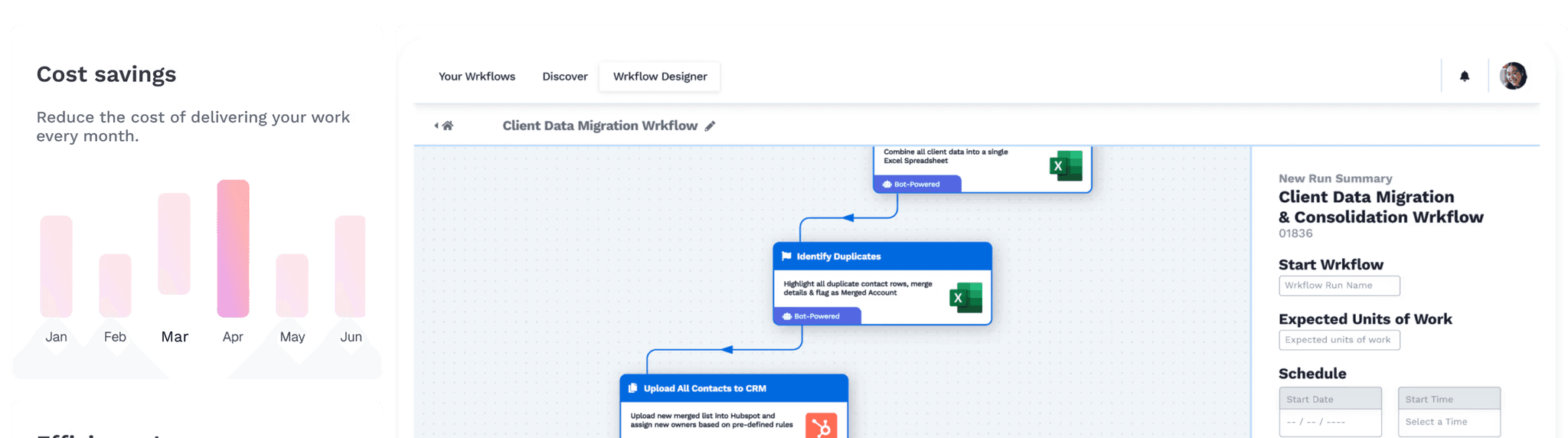
Wrk handles the entire invoice lifecycle by combining multiple automation technologies inside a single orchestration platform. Its Wrkflows stitch together API connectors, AI-powered data extraction, OCR, RPA bots, and human task workers to process invoices from receipt through payment verification.
What makes Wrk different from traditional AP automation tools is the managed service model. Teams describe their process, and Wrk's automation experts build a custom workflow within 24 hours. There's no need to configure templates, train AI models, or manage software updates.
Key Features
AI-powered OCR data extraction from invoices, receipts, and scanned documents
Automated purchase order matching and payment verification
Human-in-the-loop quality control for exceptions and edge cases
Pre-built integrations with QuickBooks, Salesforce, Slack, Stripe, and ERP systems
SOC 2 Type II, HIPAA, and PIPEDA compliance
Consumption-based pricing at $0.70 to $2.00 per invoice with a one-time build fee starting at $1,000
2,500+ pre-built bots and connectors in the Wrkflow library
Vision-driven RPA for legacy systems without APIs
Who Should Choose Wrk
Small and mid-sized businesses that lack dedicated AP automation staff but need enterprise-grade invoice processing without the enterprise price tag.
Finance teams running legacy systems that want automation across modern and older platforms without replacing their existing tech stack.
Companies seeking a fully managed service where the vendor builds, monitors, and optimizes the automation, not the internal team.
Stampli
Quick Summary
Stampli is an AP automation platform that centers collaboration directly on the invoice. Its AI assistant, Billy the Bot, automates GL coding, approval routing, and duplicate detection.
Stampli focuses on the invoice lifecycle from capture to approval, with built-in communication tools that let teams discuss and resolve issues on the invoice itself. This removes the need for separate email threads when questions arise. Billy the Bot learns an organization's unique patterns over time, improving GL coding suggestions with each invoice processed.
Stampli integrates with over 70 ERP systems using pre-built, in-house connectors. Deployment typically takes days, not months. The platform is a strong fit for mid-market and growing businesses, and the launch of Stampli Edge extends its capabilities to smaller businesses.
Key Features
AI-powered invoice capture, GL coding, and duplicate detection via Billy the Bot
On-invoice communication threads for faster issue resolution
70+ pre-built ERP integrations including NetSuite, QuickBooks, SAP, and Sage
Two-way and three-way PO matching at the line level
Stampli Direct Pay for ACH, check, and card vendor payments
Corporate card program (Stampli Cards) at no additional cost
Custom pricing based on invoice volume and selected modules
Who Should Choose Stampli
Mid-market finance teams handling high invoice volumes that need collaborative AP workflows with deep ERP integration.
Organizations with complex approval chains where on-invoice communication and audit trails reduce bottlenecks.
Companies already using NetSuite, SAP, or Sage that want fast deployment without IT-heavy implementations.
Stampli vs. Wrk
Stampli and Wrk both automate invoice processing, but they take fundamentally different approaches. Stampli is a self-service AP platform where finance teams configure workflows and train the AI over time. Wrk is a fully managed service where automation experts build and maintain the workflow.
Stampli excels at in-platform collaboration and AP-specific features like on-invoice communication. Wrk's strength is automating across multiple systems, including legacy platforms without APIs, using a hybrid of AI, RPA, and human oversight. For teams that want to own their AP workflow, Stampli is stronger; for those preferring a hands-off approach, Wrk delivers.
Comparison Point | Wrk | Stampli |
|---|---|---|
Service Model | Fully managed (done-for-you) | Self-service platform |
AI Capabilities | AI + RPA + OCR + human-in-the-loop | Billy the Bot (GL coding, approvals, duplicates) |
ERP Integrations | QuickBooks, Salesforce, Slack, Stripe, custom | 70+ pre-built (NetSuite, SAP, Sage, QuickBooks) |
Legacy System Support | Yes (vision-driven RPA) | Limited to API-based integrations |
On-Invoice Collaboration | Not a core feature | Yes, built-in communication threads |
Pricing Model | Per-invoice consumption + one-time build fee | Custom pricing based on volume and modules |
Implementation Time | Days | Days to weeks |
Compliance | SOC 2 Type II, HIPAA, PIPEDA | SOC 2 Type II |
Best For | Hands-off automation across systems | AP teams wanting control and collaboration |
Tipalti
Quick Summary
Tipalti is an end-to-end finance automation platform built for global operations, covering invoice processing, mass payments, tax compliance, and procurement in one system.
Tipalti stands out for its global payment capabilities. The platform supports payments to over 196 countries in 120 currencies with 50+ payment methods. Its AI Smart Scan technology reads invoices in 32 languages and captures both header and line-level data.
Beyond invoice processing, Tipalti includes procurement, expense management, corporate cards, and KPMG-approved tax compliance. Pricing starts at $99 per month for the Starter plan with no per-user fees, and costs scale based on transaction volume.
Key Features
AI Smart Scan invoice capture in 32 languages
Two-way and three-way PO matching
Global payments in 120+ currencies across 196 countries
KPMG-approved tax compliance engine
Automated payment reconciliation with ERP sync
Email-based invoice approvals (no login required)
Procurement module with PO management and spend analytics
No per-user or per-approver fees
Who Should Choose Tipalti
Companies with international vendor bases that need multi-currency payments, cross-border tax compliance, and global supplier onboarding.
Mid-market to enterprise finance teams managing high transaction volumes across multiple entities and currencies.
Organizations needing end-to-end payables from invoice capture through payment execution and reconciliation in one platform.
Tipalti vs. Wrk
Tipalti and Wrk serve different needs within invoice automation. Tipalti is a self-service finance platform with deep strength in global payments, tax compliance, and procurement. Wrk is a managed automation service that builds custom invoice workflows using a hybrid of AI, RPA, OCR, and human oversight. For companies with international operations, Tipalti is purpose-built; for teams needing flexible, cross-system automation, Wrk fills the gap.
Comparison Point | Wrk | Tipalti |
|---|---|---|
Service Model | Fully managed | Self-service platform |
Global Payments | Via integrations (Stripe, etc.) | Native (196 countries, 120+ currencies) |
Tax Compliance | Via integrations | Built-in KPMG-approved enginge |
Invoice Capture Languages | Multi-language via OCT | 32 languages via AI Smart Scan |
Legacy System Support | Yes (vision-driven RPA) | API-based integrations |
Pricing Model | Per-invoice + one-time build fee | $99/month base + volume-based scaling |
Procurement Module | Custom workflows | Built-in PO management and spend analytics |
Human-in-the-Loop | Yes, built into workflows | No |
Best For | Cross-system automation, managed service | Global payments and tax compliance |
Ramp
Quick Summary
Ramp is a spend management platform that combines corporate cards, expense management, and AP automation with AI-powered agents for touchless invoice processing.
Ramp Bill Pay processes invoices with up to 99% OCR accuracy, according to Ramp's internal testing. The platform automatically extracts invoice data, suggests GL codes based on historical patterns, and routes approvals through configurable workflows. Four AI agents handle coding, fraud detection, approval recommendations, and payment optimization.
Ramp's biggest differentiator is its free tier, which includes core AP automation, corporate cards, and spend controls. The Ramp Plus plan starts at $15 per user per month for advanced features like batch payments and PO matching. Enterprise pricing is available for larger organizations.
Key Features
99% accurate OCR invoice data extraction
AI agents for auto-coding, fraud detection, and approval routing
Two-way and three-way PO matching
Free tier with core AP, cards, and expense management
Payment via ACH, check, card, and international wire
Real-time ERP sync with NetSuite, QuickBooks, Xero, and Sage Intacct
Mobile invoice approvals via Slack or email
Corporate cards with built-in spend controls
Who Should Choose Ramp
Startups and growing companies that want powerful AP automation without upfront licensing costs.
Finance teams already using corporate cards that benefit from unified spend management across AP, expenses, and procurement.
Organizations prioritizing speed that need fast implementation and touchless processing with minimal configuration.
Ramp vs. Wrk
Ramp and Wrk approach automation from different angles. Ramp is a spend management platform with AP automation as one component alongside corporate cards and expense management. Wrk is a dedicated automation platform that builds custom invoice workflows using multiple technologies. Ramp is best for teams wanting unified spend control; Wrk is better for deep, cross-system invoice automation with managed support.
Comparison Point | Wrk | Ramp |
|---|---|---|
Service Model | Fully managed | Self-service platform |
Free Tier | No (consumption-based) | Yes, core AP + cards + expenses |
Corporate Cards | No | Yes, with cashback and spend controls |
AI Agents | AI + RPA + human-in-the-loop | 4 specialized AP agents |
Legacy System Support | Yes (vision-driven RPA) | API-based integrations |
Pricing | $0.70-$2.00/invoice + build fee | Free tier, Plus at $15/user/month |
ERP Integrations | Custom via API + RPA | 10+ native integrations |
Expense Management | Via custom workflows | Built-in |
Best For | Custom cross-system automation | Unified spend management with free AP |
BILL
Quick Summary
BILL is a cloud-based financial operations platform that automates accounts payable and receivable for small to mid-sized businesses, with nearly half a million businesses on the platform.
BILL (formerly Bill.com) covers both AP and AR automation in one platform. On the payables side, it captures invoices via email, mobile upload, or drag-and-drop, then uses OCR to extract vendor details and line items. Approval workflows route bills based on amount, department, or vendor category.
Pricing starts at $45 per user per month for the Essentials plan, $55 for Team, and $79 for Corporate. Enterprise plans with custom pricing are available. ACH transactions cost $0.59 each, and international wires are $0 for payments in local currencies.
Key Features
AI-powered OCR invoice capture with duplicate detection
Customizable approval workflows with mobile access
Accounts payable and accounts receivable in one platform
Integrations with QuickBooks, Xero, NetSuite, Sage Intacct, and Microsoft Dynamics
Pay by Card feature for vendors that don't accept cards directly
Automated cash flow forecasting
SOC 1 and SOC 2 Type II compliance with bank-grade encryption
Network of millions of vendors for faster payment processing
Who Should Choose BILL
Small to mid-sized businesses that need both AP and AR automation in a single platform.
Accounting firms managing multiple client accounts that benefit from BILL's wholesale partner pricing.
Teams using QuickBooks or Xero that want tight two-way accounting sync without complex setup.
BILL vs. Wrk
BILL and Wrk serve overlapping use cases but target different buyer profiles. BILL is a self-service platform focused on SMB-friendly AP and AR automation with straightforward pricing tiers. Wrk is a managed automation platform that builds custom invoice workflows across systems. BILL wins on ease of adoption for small businesses; Wrk wins on automation depth across complex, multi-system environments.
Comparison Point | Wrk | BILL |
|---|---|---|
Service Model | Fully managed | Self-service platform |
Accounts Receivable | Via custom workflows | Built-in AR module |
Pricing | $0.72-$2.00/invoice + build fee | $45-$79/user/month + transaction fees |
Per-User Pricing | No | Yes |
Legacy System Support | Yes (vision-driven RPA) | Limited to API-based integrations |
Vendor Network | N/A | Millions of vendors |
Human-in-the-Loop | Yes | No |
Implementation | Days | Days |
Best For | Complex automation across systems | SMBs need AP + AR in one place |
Rossum
Quick Summary
Rossum is an AI-powered document processing platform that specializes in intelligent invoice data extraction, achieving up to 98% accuracy without templates.
Rossum takes a different approach than full AP automation suites. It focuses primarily on the data capture and validation stage of invoice processing. The platform's AI reads invoices the way a human would, eliminating the need for templates or layout-specific rules.
Rossum's strength is its e-invoicing support across European compliance standards, including FatturaPA, XRechnung, ZUGFeRD, and Peppol. It integrates with SAP, Coupa, NetSuite, and Microsoft Dynamics. Pricing is volume-based and tailored to each business.
Key Features
Template-free AI data extraction with up to 98% accuracy
Magic Grid tool for line-item and table data extraction
E-invoicing compliance for European mandates
Certified integrations with SAP and Coupa
Self-learning AI that improves with each processed document
API and SFTP integration for upstream and downstream systems
Usage dashboard with processing analytics
Data export in XLSX, CSV, XML, and JSON formats
Who Should Choose Rossum
European businesses navigating country-specific e-invoicing mandates that need unified compliance across formats.
Shared services centers and BPOs processing high volumes of diverse invoice formats that require template-free extraction.
Organizations already using SAP or Coupa that need a specialized capture layer to complement their existing AP system.
Rossum vs. Wrk
Rossum and Wrk differ in scope. Rossum is an intelligent document processing tool focused on invoice data capture and validation. Wrk is a full workflow automation platform that handles the entire invoice lifecycle. Rossum is the right pick for teams needing best-in-class document capture; Wrk is better for end-to-end automation managed for them.
Comparison Point | Wrk | Rossum |
|---|---|---|
Primary Focus | End-to-end invoice workflow automation | Invoice data capture and validation |
Service Model | Fully managed | Self-service platform |
AI Extraction Accuracy | High (AI + human QA) | Up to 98% template-free |
E-Invoicing Compliance | Via integrations | Native European compliance |
Payment Processing | Yes, via Stripe and other integrations | No (capture and validation only) |
Pricing | $0.70-$2.00/invoice + build fee | Custom volume-based pricing |
ERP Integrations | QuickBooks, Salesforce, custom | SAP, Coupa, NetSuite, Microsoft Dynamics |
Human-in-the-Loop | Yes | Manual validation interface |
Best For | Full invoice lifecycle automation | High-accuracy document data capture |
Basware
Quick Summary
Basware is an enterprise AP automation platform with AI trained on over 2.2 billion invoices, designed for large global organizations running complex, multi-ERP environments.
Basware targets large enterprises and shared service centers with high invoice volumes. The platform's SmartPDF technology claims 100% invoice capture accuracy, and its SmartCoding feature uses machine learning to automate GL coding for non-PO invoices.
Basware's scale and compliance capabilities make it a fit for global organizations. The platform offers end-to-end e-invoicing compliance and integrates with virtually any ERP. Pricing is subscription-based and varies by organization size and invoice volume. Implementation timelines are longer than lighter-weight tools.
Key Features
AI/ML trained on 2.2 billion invoices for data capture and coding
SmartPDF technology for 100% invoice capture
SmartCoding for automated GL coding on non-PO invoices
Line-level and header-level PO matching
End-to-end e-invoicing compliance engine
Payment authorization up to 30x faster than manual processing
Multi-ERP integration support
Analytics dashboards with KPI tracking and optimization recommendations
Who Should Choose Basware
Large global enterprises processing over 50,000 invoices per year across multiple locations and ERP systems.
Shared service centers that need to harmonize invoice processes across regions while maintaining compliance.
Organizations running SAP migrations that want a best-of-breed AP layer alongside their S/4HANA transformation.
Basware vs. Wrk
Basware and Wrk sit at opposite ends of the implementation spectrum. Basware is a heavyweight enterprise platform built for massive invoice volumes with complex compliance needs. Wrk is a managed service that delivers a working invoice automation workflow in 24 hours. Basware wins on enterprise AP depth and global compliance; Wrk wins on speed to value and accessibility for teams that don't want to manage a complex platform.
Comparison Point | Wrk | Basware |
|---|---|---|
Target Audience | SMBs to mid-market | Enterprise and shared service centers |
Service Model | Fully managed | Self-service enterprise platform |
AI Training Data | Proprietary AI + RPA | 2.2 billion invoices |
Implementation Time | Days | Weeks to months |
Multi-ERP Support | Via API + RPA connectors | Native multi-ERP integration |
E-Invoicing Compliance | Via integrations | Built-in end-to-end compliance |
Pricing | $0.70-$2.00/invoice + build fee | Enterprise subscription (custom) |
Human-in-the-Loop | Yes | No |
Best For | Fast, flexible managed automation | Large-scale enterprise AP |
Full Comparison: All 7 Invoice Processing Automation Tools
The table below compares all seven tools across the attributes that matter most when evaluating invoice automation software.
Feature | Wrk | Stampli | Tipalti | Ramp | BILL | Rossum | Basware |
|---|---|---|---|---|---|---|---|
Service Model | Fully managed | Self-service | Self-service | Self-service | Self-service | Self-service | Self-service |
Best For | SMBs wanting hands-off automation | Mid-market AP collaboration | Global payments and compliance | Unified spend management | SMB AP + AR | Document data capture | Enterprise AP at scale |
AI/OCR Extraction | Yes (AI + OCR + RPA) | Yes (Billy the Bot) | Yes (Smart Scan, 32 languages) | Yes (99% OCR accuracy) | Yes (OCR) | Yes (98%, template-free) | Yes (SmartPDF, SmartCoding) |
PO Matching | Yes | 2-way and 3-way | 2-way and 3-way | 2-way and 3-way | 2-way and 3-way | Via ERP integration | Header and line-level |
Payment Execution | Via Stripe and integrations | Stampli Direct Pay | Native (196 countries) | ACH, check, card, wire | ACH, check, card, wire | No | Via integration |
Human-in-the-Loop | Yes | No | No | No | No | No | No |
Legacy System Support | Yes (vision-driven RPA) | No | No | No | No | No | Limited |
Free Tier | No | No | No | Yes | No | No | No |
Starting Price | $0.70-$2.00/invoice | Custom | $99/month | Free; Plus $15/user/month | $45/user/month | Custom | Enterprise custom |
Implementation Time | Days | Days to weeks | Weeks | Days | Days | Days to weeks | Weeks to months |
Compliance | SOC 2 Type II, HIPAA, PIPEDA | SOC 2 Type II | SOC 2, KPMG-approved tax | SOC 2 Type II | SOC 1 and SOC 2 Type II | SOC 2 Type II | SOC 2, e-invoicing compliance |
Pro Tip
In our experience working with finance teams, the biggest implementation mistake is choosing a tool based on features alone. The real question is whether the team has the capacity to configure and manage the platform. If the answer is no, a managed service like Wrk eliminates the setup burden entirely.
Frequently Asked Questions
What is invoice processing automation?
Invoice processing automation uses software to capture, extract, validate, and route invoice data without manual entry. These tools typically combine OCR, AI, and workflow engines to move invoices from receipt through approval and payment with minimal human intervention.
How much does invoice automation software cost?
Pricing varies widely depending on the platform and business size. Some tools like Ramp offer a free tier, while others like BILL start at $45 per user per month. Enterprise platforms like Basware and Tipalti use custom or volume-based pricing, and Wrk uses a consumption model starting at $0.70 to $2.00 per invoice.
What features should invoice automation software include?
Essential features include OCR-based data capture, automated approval workflows, ERP integrations, purchase order matching, duplicate detection, and reporting dashboards. Advanced platforms also offer AI-powered GL coding, fraud detection, and multi-entity support.
Can invoice automation work with my existing ERP system?
Most modern platforms integrate with popular systems like QuickBooks, NetSuite, SAP, Sage Intacct, Xero, and Microsoft Dynamics. Some offer pre-built connectors, while others use APIs or middleware.
What is the difference between AP automation and invoice automation?
Invoice automation focuses on capturing, extracting, and routing invoice data for approval. AP automation is broader, including invoice processing plus payment execution, vendor management, reconciliation, and compliance reporting. Many platforms now combine both capabilities.
How long does it take to implement invoice automation software?
Timelines range from hours to several months. Managed platforms like Wrk deliver a working workflow within 24 hours. Self-service tools like Ramp and BILL deploy in days. Enterprise solutions like Basware may take weeks or months for full rollout.
Is invoice automation software secure?
Reputable platforms maintain SOC 2 Type II compliance and use bank-grade encryption. Some also offer HIPAA, GDPR, and CCPA compliance. Always verify a vendor's security certifications before committing.





