
7 Best CRM Automation Tools for Sales Teams
Publish Date
Apr 24, 2026

CRM automation tools are software platforms that handle repetitive sales tasks inside or connected to a customer relationship management system. These tools automate data entry, lead routing, follow-up emails, deal updates, and reporting so sales reps can focus on closing deals.
The global CRM software market is projected to reach $131.9 billion by 2028, according to Statista. Much of that growth comes from teams adopting automation-first CRM strategies. These approaches eliminate manual work at every stage of the sales pipeline.
In our testing of dozens of CRM automation platforms, we’ve found that the right tool depends on three factors. Those factors are team size, technical ability, and whether a business wants to build automations or hand them off entirely. This guide ranks the seven best options and compares them across features that matter most.
Key Terms
CRM Automation: The use of software to automatically execute recurring tasks within a CRM system. Examples include updating contact records, assigning leads, and triggering follow-up sequences.
Workflow Automation: A broader term for any process where tasks are completed automatically based on predefined triggers and rules. CRM automation is one type of workflow automation.
Lead Scoring: An automated method that assigns numerical values to leads based on behavior and demographics. Higher scores indicate a lead is more likely to convert.
RPA (Robotic Process Automation): Software bots that mimic human actions on screen to complete tasks across applications. RPA is especially useful for automating tasks in legacy systems that lack APIs.
Human-in-the-Loop: An automation approach that pauses a workflow for human review at critical decision points. This ensures quality and compliance on tasks that require judgment.
API Connector: A software bridge that allows two applications to share data automatically. API connectors are the foundation of most CRM integrations.
Task-Based Pricing: A billing model where users pay for each action an automation completes, rather than a flat monthly fee per user. Cost scales directly with usage volume.
No-Code Automation: Automation tools that use visual builders, drag-and-drop interfaces, or simple forms to create workflows without programming knowledge.
Wrk
Quick Summary
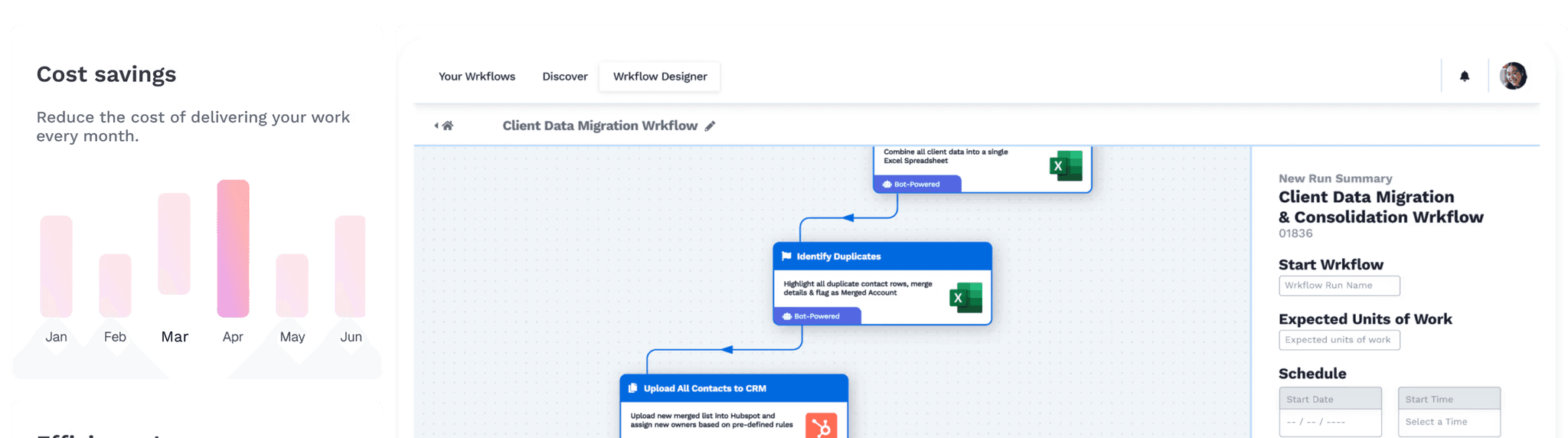
Wrk is a fully managed workflow automation platform that combines AI, RPA, API connectors, OCR, and human-in-the-loop tasks. It’s the only platform on this list where experts build and manage automations on behalf of the client.
Wrk takes a different approach than every other tool on this list. Rather than handing teams a builder, Wrk’s automation experts design, deploy, and monitor workflows for each client. The platform integrates with any CRM, including Salesforce, HubSpot, Pipedrive, and Zoho.
For sales teams, Wrk automates lead generation, CRM data entry, follow-up scheduling, proposal creation, and order processing. Pre-built “Wrkflows” come fully configured, but the team also builds custom automations from scratch. In our experience, this managed approach cuts deployment time from weeks to days.
What sets Wrk apart is its hybrid automation architecture. A single Wrkflow can combine AI actions, RPA bots, API calls, OCR document processing, and human tasks. That means it can handle processes spanning modern cloud apps and legacy on-premise systems.
Key Features
Fully managed automation service with expert-built Wrkflows
Hybrid automation combining AI, RPA, OCR, APIs, and human-in-the-loop
Integrates with any CRM platform, including legacy systems
Over 2,500 pre-built automation actions
Usage-based pricing with no per-user license fees
SOC 2 Type II, HIPAA, and PIPEDA compliant
Deployment in days or weeks, not months
Who Should Choose Wrk
Sales teams that want CRM automation without building or maintaining workflows themselves
Businesses with complex processes spanning multiple apps, legacy systems, or manual steps
Companies that need enterprise-grade compliance (SOC 2, HIPAA) with fast deployment
HubSpot Sales Hub
Quick Summary
HubSpot Sales Hub is a CRM platform with built-in sales automation, email sequences, lead scoring, and pipeline management. It’s best known for its free tier and intuitive interface.
HubSpot Sales Hub is one of the most widely adopted CRM platforms for small and midsize sales teams. The free tier includes contact management, deal tracking, and basic reporting, which makes it an easy starting point. Paid plans unlock workflow automation, email sequences, and deal forecasting.
The workflow builder is genuinely intuitive, allowing users to create multi-step automations without touching code. Lead scoring works well out of the box. The tight integration between HubSpot’s Marketing Hub and Sales Hub means leads flow smoothly from nurture campaigns into sales pipelines.
Where HubSpot gets expensive is at scale. Pricing jumps significantly as contact lists grow, and advanced automation features only appear on the Professional tier ($90–$100/user/month). Teams with more than a few thousand contacts often find themselves paying enterprise prices for mid-market needs.
Key Features
Free CRM with basic sales tools for unlimited users
Visual workflow builder with multi-step automation
Email sequences with personalization and scheduling
Built-in lead scoring and deal forecasting
Breeze AI suite included in all paid tiers
Seamless integration with Marketing, Service, and Operations Hubs
Who Should Choose HubSpot Sales Hub
Small to midsize sales teams that want a single platform for CRM, marketing, and sales
Teams that value ease of use and a short learning curve over deep customization
Startups and growing businesses that want to start free and upgrade as needed
HubSpot Sales Hub vs. Wrk
HubSpot is a self-service CRM platform; Wrk is a managed automation service. HubSpot requires internal team members to build and maintain workflows, while Wrk handles all design, deployment, and monitoring.
HubSpot excels when a team wants a single all-in-one platform. Wrk excels when a team needs automations across multiple systems or lacks time to build workflows.
Feature | Wrk | HubSpot Sales Hub |
Automation Approach | Fully managed, expert-built | Self-service, DIY builder |
CRM Included | Integrates with any CRM | Built-in CRM |
Setup Time | Days to weeks | Hours (basic), weeks (advanced) |
Pricing Model | One-time setup + usage-based | Per user/month, tiered plans |
Entry Price | Starting at $1,000 one-time setup | Free (basic), $20/user/mo (Starter) |
Legacy System Support | Yes (RPA + human-in-the-loop) | Limited (API-dependent) |
Human-in-the-Loop | Yes, built into platform | No |
Technical Skill Required | None | Low to moderate |
Salesforce Sales Cloud
Quick Summary
Salesforce Sales Cloud is the most widely used enterprise CRM platform. It offers deep customization, AI-powered insights through Einstein, and a massive third-party app ecosystem.
Salesforce Sales Cloud dominates the enterprise CRM market for good reason. The platform offers unmatched customization, with custom objects, advanced workflow rules, approval processes, and a full API suite. For large sales teams with dedicated admins, Salesforce can fit virtually any sales process.
Einstein AI adds predictive lead scoring, opportunity insights, and automated activity capture. The AppExchange marketplace gives access to thousands of third-party integrations. Salesforce’s ecosystem is the deepest of any CRM on the market.
The trade-off is cost and complexity. Enterprise-tier licenses start at $175/user/month, and most organizations need implementation partners for setup.
As of August 2025, Salesforce increased prices by roughly 6% on Enterprise and Unlimited editions. Smaller teams without dedicated Salesforce admins often struggle with the learning curve.
Key Features
Highly customizable CRM with custom objects, workflows, and approval processes
Einstein AI for lead scoring, deal insights, and conversation intelligence
AppExchange marketplace with thousands of integrations
Advanced reporting, forecasting, and territory management
Agentforce AI capabilities on higher tiers
Full API access for deep system integrations
Who Should Choose Salesforce Sales Cloud
Enterprise sales organizations with dedicated CRM administrators
Teams that need deep customization and complex workflow logic
Companies already invested in the Salesforce ecosystem
Salesforce Sales Cloud vs. Wrk
Salesforce is a self-service CRM built for teams with technical resources. Wrk is a managed service that automates CRM processes without requiring the client to build anything.
Wrk’s strength is automating processes across systems, including Salesforce itself, without adding complexity for the end user. Salesforce’s strength is deep customization within its own ecosystem.
Feature | Wrk | Salesforce Sales Cloud |
Automation Approach | Fully managed, expert-built | Self-service, admin-configured |
CRM Included | Integrates with any CRM | Built-in CRM |
Setup Time | Days to weeks | Weeks to months |
Pricing Model | One-time setup + usage-based | Per user/month, annual contract |
Entry Price | Starting at $1,000 one-time setup | $25/user/mo (Starter Suite) |
Implementation Cost | Included in setup fee | $25,000+ average (third-party) |
Technical Skill Required | None | High (dedicated admin recommended) |
Legacy System Support | Yes (RPA + human-in-the-loop) | Via MuleSoft (additional cost) |
Zapier
Quick Summary
Zapier is a no-code automation platform that connects over 7,000 apps through trigger-and-action workflows. These workflows, called “Zaps,” are the most popular way to connect a CRM to other business apps without writing code.
Zapier is the most widely adopted no-code automation platform on the market. It connects virtually any SaaS tool, including every major CRM, through a simple trigger-and-action interface.
When a new lead enters a CRM, Zapier can send a Slack alert and add a Google Sheets row. It can also trigger an email sequence, all without code.
Zapier recently expanded beyond simple connections with Tables, Forms, AI Copilot, and Zapier MCP for AI orchestration. The Professional plan starts at $19.99/month (billed annually) and includes 750 tasks. The free plan offers 100 tasks per month with two-step Zaps only.
The main limitation is depth. Zapier handles cross-app data transfers well, but it’s not a CRM itself. It can’t automate tasks inside a system the way native CRM automation does.
Task-based pricing can also get expensive fast. High-volume sales teams triggering thousands of actions monthly may find costs climbing quickly.
Key Features
7,000+ app integrations, the largest library among automation platforms
Visual drag-and-drop builder with AI Copilot
Multi-step Zaps with filters, paths, and conditional logic (paid plans)
Tables, Forms, and Chatbots included in all plans
2-minute trigger polling on paid plans
Zapier MCP for AI agent orchestration
Who Should Choose Zapier
Sales teams that use many SaaS tools and need them to share data automatically
Small teams that want to add simple CRM automations without switching platforms
Non-technical users who need a no-code way to connect apps
Zapier vs. Wrk
Zapier is a self-service connector platform; Wrk is a managed end-to-end automation service. Zapier excels at simple cross-app connections that a team member can set up in minutes.
Wrk excels at complex, multi-step processes involving AI, RPA, document processing, or human review. Teams needing quick app-to-app transfers choose Zapier; teams needing full process automation choose Wrk.
Feature | Wrk | Zapier |
Automation Approach | Fully managed, expert-built | Self-service, no-code builder |
Automation Depth | End-to-end process automation | App-to-app data transfers |
Integrations | 2,500+ pre-built actions + custom | 7,000+ app integrations |
RPA Capability | Yes, built-in | No |
Pricing Model | One-time setup + usage-based | Task-based, per-month subscription |
Entry Price | Starting at $1,000 one-time setup | Free (100 tasks/mo) |
Human-in-the-Loop | Yes | No |
Technical Skill Required | None | Low |
Pipedrive
Quick Summary
Pipedrive is a sales-focused CRM built around a visual kanban-style pipeline. It offers clean deal tracking, basic workflow automation, and an intuitive interface designed specifically for sales reps.
Pipedrive is a CRM built by salespeople, for salespeople. The kanban-style pipeline view makes it easy to see where every deal stands, and the drag-and-drop interface requires almost no training. It’s one of the simplest CRMs to adopt.
Automation is available from the Growth plan ($39/user/month, billed annually) and up. Sales teams can automate deal creation, lead assignment, follow-up reminders, and pipeline stage changes. Pipedrive also uses AI to suggest automations with the highest probability of impact.
Pipedrive won’t replace a marketing automation platform or handle complex multi-department workflows. It’s purely a sales CRM, and essential features like lead capture chatbots (LeadBooster) and email campaigns are paid add-ons.
A five-person team that needs CRM plus lead capture plus proposals can quickly exceed $150/month.
Key Features
Visual kanban pipeline with drag-and-drop deal management
Workflow automation for deals, leads, and activities
AI-powered sales assistant with automation suggestions
Email sync, templates, and sequence builder (Growth plan and up)
400+ integrations with popular business tools
Revenue forecasting and team performance reports (Premium plan)
Who Should Choose Pipedrive
Small to midsize sales teams that want clean pipeline visibility with minimal setup
Sales-focused teams that don’t need marketing or service tools built in
Teams that value simplicity and fast adoption over deep customization
Pipedrive vs. Wrk
Pipedrive is a self-service CRM focused on pipeline visualization and basic sales automation. Wrk is a managed service that connects to Pipedrive (or any CRM) and automates surrounding processes.
Teams wanting a simple visual CRM with light automation choose Pipedrive. Teams wanting CRM processes fully automated without building anything choose Wrk.
Feature | Wrk | Pipedrive |
Automation Approach | Fully managed, expert-built | Self-service, rule-based |
CRM Included | Integrates with any CRM | Built-in sales CRM |
Automation Depth | End-to-end process automation | Basic deal/lead automation |
Pricing Model | One-time setup + usage-based | Per user/month |
Entry Price | Starting at $1,000 one-time setup | $14/user/mo (Lite, annual) |
Legacy System Support | Yes | No |
Technical Skill Required | None | Low |
Free Plan | No (consultation available) | No (14-day free trial) |
Zoho CRM
Quick Summary
Zoho CRM offers one of the most feature-rich CRM platforms at a fraction of the cost of competitors like Salesforce and HubSpot. It includes sales automation, marketing tools, an AI assistant (Zia), and a free plan for up to three users.
Zoho CRM delivers remarkable breadth for the price. The platform includes sales automation, marketing tools, customer service features, and analytics in packages that significantly undercut competitors. The Standard plan starts at just $14/user/month (billed annually).
Zia, Zoho’s AI assistant, handles lead scoring, predicts deal closures, detects data anomalies, and suggests tasks to automate. Workflow rules cover standard automation scenarios. Blueprint lets teams design guided sales processes that enforce specific steps and sequences.
The trade-off is polish. Zoho’s interface feels dated compared to HubSpot or Pipedrive, and some features require more clicks than they should.
Integration options are solid but not as extensive as Salesforce’s ecosystem. Teams that prioritize UI design and onboarding may find the learning curve steeper than expected.
Key Features
Free plan for up to 3 users with core CRM functionality
Zia AI assistant for lead scoring, anomaly detection, and task suggestions
Blueprint process management for guided sales workflows
Workflow automation with triggers, conditions, and multi-step actions
Canvas design tool for custom CRM layouts
Integration with the broader Zoho ecosystem (50+ apps in Zoho One)
Who Should Choose Zoho CRM
Budget-conscious teams that need comprehensive CRM functionality without premium pricing
Businesses already using other Zoho products (Zoho Desk, Zoho Books, Zoho Projects)
Small to midsize teams that want AI features at a lower cost than HubSpot or Salesforce
Zoho CRM vs. Wrk
Zoho CRM is a self-service platform where teams build their own automations inside a comprehensive but complex interface. Wrk integrates with Zoho (or any CRM) and automates surrounding processes without requiring client setup.
Teams on a tight budget that can invest time learning the platform choose Zoho. Teams that want automation handled for them choose Wrk.
Feature | Wrk | Zoho CRM |
Automation Approach | Fully managed, expert-built | Self-service, rule/blueprint-based |
CRM Included | Integrates with any CRM | Built-in CRM |
AI Capabilities | AI, RPA, OCR, human-in-the-loop | Zia AI (Enterprise plan and up) |
Pricing Model | One-time setup + usage-based | Per user/month |
Entry Price | Starting at $1,000 one-time setup | Free (up to 3 users) |
Legacy System Support | Yes | Limited |
Learning Curve | None (fully managed) | Moderate to steep |
Compliance | SOC 2, HIPAA, PIPEDA | GDPR, SOC 2 (on higher tiers) |
ActiveCampaign
Quick Summary
ActiveCampaign started as an email marketing platform and evolved into a strong marketing automation tool with an optional sales CRM add-on. It offers over 900 automation templates and best-in-class email automation for sales teams that rely on nurture sequences.
ActiveCampaign is best known for its marketing automation engine, which remains one of the most powerful available. The automation builder supports multi-step workflows with branching logic, conditions, and triggers that rival enterprise tools at a fraction of the cost.
The CRM is available as a separate add-on starting at $49/month (Pipelines) or $85/month (Sales Engagement). Sales teams get pipeline management, deal tracking, lead scoring, and automated 1:1 email outreach. Win probability scoring and sentiment analysis come with the Sales Engagement add-on.
The catch is that ActiveCampaign’s CRM feels like a bolt-on rather than a core product. Teams needing a CRM-first experience may find it secondary to the marketing automation.
Pricing also scales with contact count, not just users. A team with 10,000 contacts on the Pro plan pays $189/month before adding CRM features.
Key Features
900+ pre-built automation templates across sales and marketing
Visual automation builder with branching, conditions, and split testing
CRM add-on with pipeline management, deal tracking, and lead scoring
Automated 1:1 sales emails with open and reply tracking
Win probability and sentiment analysis (Sales Engagement add-on)
950+ native integrations including Salesforce, Shopify, and Slack
Who Should Choose ActiveCampaign
Teams that prioritize email marketing and lead nurturing as core sales processes
Businesses that want powerful automation at a lower price than HubSpot Professional
Sales teams needing tight alignment between marketing sequences and CRM deal stages
ActiveCampaign vs. Wrk
ActiveCampaign is a self-service marketing automation platform with an optional CRM; Wrk is a managed automation service for end-to-end CRM processes. ActiveCampaign’s strength is email and marketing automation with CRM capabilities attached.
Wrk’s strength is automating the full range of sales operations across any tool stack. No client configuration is required.
Feature | Wrk | ActiveCampaign |
Automation Approach | Fully managed, expert-built | Self-service, template-driven |
Core Strength | End-to-end process automation | Email/marketing automation + CRM |
CRM Included | Integrates with any CRM | CRM as paid add-on ($49-$85/mo) |
Pricing Model | One-time setup + usage-based | Contact-based + per-user CRM add-on |
Entry Price | Starting at $1,000 one-time setup | $15/mo (Starter, no CRM) |
RPA Capability | Yes | No |
Legacy System Support | Yes | No |
Technical Skill Required | None | Low to moderate |
Full Comparison: All 7 CRM Automation Tools
Feature | Wrk | HubSpot | Salesforce | Zapier | Pipedrive | Zoho CRM | ActiveCamp. |
Best For | Managed end-to-end CRM auto. | All-in-one CRM for growing teams | Enterprise customization | Connecting apps, no code | Visual pipeline mgmt. | Budget full CRM | Email/mktg auto + CRM |
Auto. Approach | Fully managed | Self-service | Self-service (admin) | Self-service, no-code | Self-service, rules | Self-service, blueprint | Self-service, templates |
CRM Built-In | No (integrates any) | Yes | Yes | No | Yes | Yes | Add-on ($49+/mo) |
Entry Price | Starting at $1,000 setup+usage | Free / $20/user/mo | $25/user/mo | Free / $19.99/mo | $14/user/mo | Free / $14/user/mo | $15/mo (no CRM) |
AI Features | AI, RPA, OCR | Breeze AI | Einstein AI | AI Copilot | AI assistant | Zia AI | Win prob., sentiment |
RPA | Yes | No | Via MuleSoft | No | No | No | No |
Human-in-Loop | Yes | No | No | No | No | No | No |
Free Plan | No | Yes | Yes (limited) | Yes (100 tasks) | No (trial) | Yes (3 users) | No (trial) |
Legacy Systems | Yes | Limited | Via MuleSoft | No | No | Limited | No |
Setup Complexity | None (managed) | Low | High | Low | Low | Moderate | Low-moderate |
Compliance | SOC2, HIPAA, PIPEDA | SOC 2, GDPR | SOC2, HIPAA, FedRAMP | SOC 2 | GDPR, SOC 2 | GDPR, SOC 2 | GDPR, HIPAA (Ent.) |
Key Insight
The biggest decision isn’t which CRM to pick; it’s whether to build automations internally or have them managed externally. Self-service tools require staff time to configure. Managed services (Wrk) handle everything, trading higher upfront cost for zero internal overhead.
Start Here: CRM Automation Checklist
Sales teams evaluating CRM automation should work through these steps before choosing a platform.
Audit current manual tasks: List every repetitive task the sales team performs weekly. Prioritize automating the tasks that consume the most time.
Map the tool stack: Document every app the sales team uses daily. Identify which tools need to share data and where manual copy-paste bridges the gap.
Decide: build vs. buy: Determine whether the team has someone with the time and skill to build automations. If not, a managed service like Wrk eliminates that requirement.
Start with three automations: Begin with lead assignment, follow-up sequences, and CRM data entry. These three workflows deliver the highest ROI for most sales teams.
Measure before and after: Track time spent on admin tasks, lead response time, and pipeline accuracy before implementing automation. Re-measure after 30 days.
Pro Tip
When we’ve implemented CRM automation for clients, the fastest wins come from automating the handoff between marketing and sales. Leads that sit unassigned for more than 5 minutes drop in conversion rate dramatically. Automating lead routing alone can improve response times by 80% or more.
Frequently Asked Questions
What is CRM automation?
CRM automation uses software to handle repetitive sales tasks inside or connected to a customer relationship management system. Common automated tasks include data entry, lead assignment, follow-up emails, deal stage updates, and reporting. The goal is to reduce manual work so sales reps can spend more time closing deals.
How much do CRM automation tools cost?
Pricing varies widely depending on the platform and approach. Self-service CRM tools like Zoho CRM start at $14/user/month.
Enterprise platforms like Salesforce Sales Cloud require $175/user/month or more for meaningful automation. Managed services like Wrk charge a one-time setup fee starting at $1,000 with usage-based pricing after that.
Can CRM automation replace a sales rep?
CRM automation doesn’t replace sales reps; it removes the administrative tasks that slow them down. Tasks like data entry, follow-up scheduling, and lead routing run automatically, freeing reps to focus on conversations that close deals. In our experience, teams that automate CRM workflows spend 30–50% less time on admin tasks.
What’s the difference between a CRM with built-in automation and a standalone automation tool?
A CRM with built-in automation, like HubSpot or Salesforce, handles workflows within its own ecosystem. A standalone automation tool, like Zapier or Wrk, connects to any CRM and automates tasks across multiple platforms. Standalone tools offer more flexibility when a team uses several apps.
How long does it take to set up CRM automation?
Setup time depends on the tool and the complexity of the workflows. Self-service platforms like Zapier or Pipedrive can have basic automations running within hours.
Enterprise CRMs like Salesforce often require weeks or months of implementation. Managed services like Wrk typically deliver working automations within hours to days.
What CRM tasks should a sales team automate first?
Most sales teams should start by automating lead assignment, follow-up email sequences, and CRM data entry. These three tasks consume the most rep time and are the most prone to human error. After those are running smoothly, teams can move to deal stage updates, reporting, and proposal generation.
Do I need technical skills to use CRM automation tools?
Most modern CRM automation tools offer no-code or low-code builders that don’t require programming knowledge. Platforms like Zapier and Pipedrive use drag-and-drop interfaces accessible to any team member. For complex automations involving multiple systems or legacy software, a managed service like Wrk handles the technical work entirely.





