
11 Best No-Code Automation Platforms
Publish Date
Apr 9, 2026
No-code automation platforms are software tools that let teams build automated workflows between applications without writing code. They use visual builders, drag-and-drop interfaces, and pre-built connectors to replace repetitive manual tasks across systems like CRMs, email tools, databases, and accounting software.
The no-code automation market is growing rapidly. According to Fortune Business Insights, the global low-code/no-code platform market is projected to grow from $37.39 billion in 2025 to $264.40 billion by 2032, at a 32.2% CAGR.
In our testing of dozens of platforms for client implementations, we’ve found that the right tool depends on three factors: workflow complexity, technical resources, and budget structure. This guide ranks the 11 best no-code automation platforms based on hands-on evaluation.
Key Terms
No-code automation: A platform that lets users build workflows through visual interfaces without writing any programming code. Zapier, Make, and Pabbly Connect are common examples.
Low-code automation: A platform that combines visual builders with optional scripting or coding for more advanced customization. n8n and Activepieces are examples.
Managed automation service: A model where an external team designs, builds, tests, and maintains automated workflows on the client’s behalf. Wrk is the primary example.
RPA (Robotic Process Automation): Software that mimics human interactions with computer interfaces to automate desktop tasks. RPA handles legacy systems and applications without APIs.
iPaaS: Cloud platforms that connect software applications and automate data flows between them. Zapier, Make, and Workato fall into this category.
Task/Execution: A single unit of automation activity used for billing. Zapier counts each action step as a task; n8n counts each complete workflow run as one execution.
Human-in-the-loop: A workflow where certain steps require human review or decision-making before continuing. Combines automation speed with human judgment.
OCR: Technology that reads and extracts text from images, scanned documents, and PDFs. Essential for automating document-heavy processes.
Key Insight
The biggest differentiator among no-code platforms isn’t features; it’s who builds and maintains the workflows. Self-service platforms require internal staff. Managed services like Wrk handle the entire lifecycle.
Quick Summary
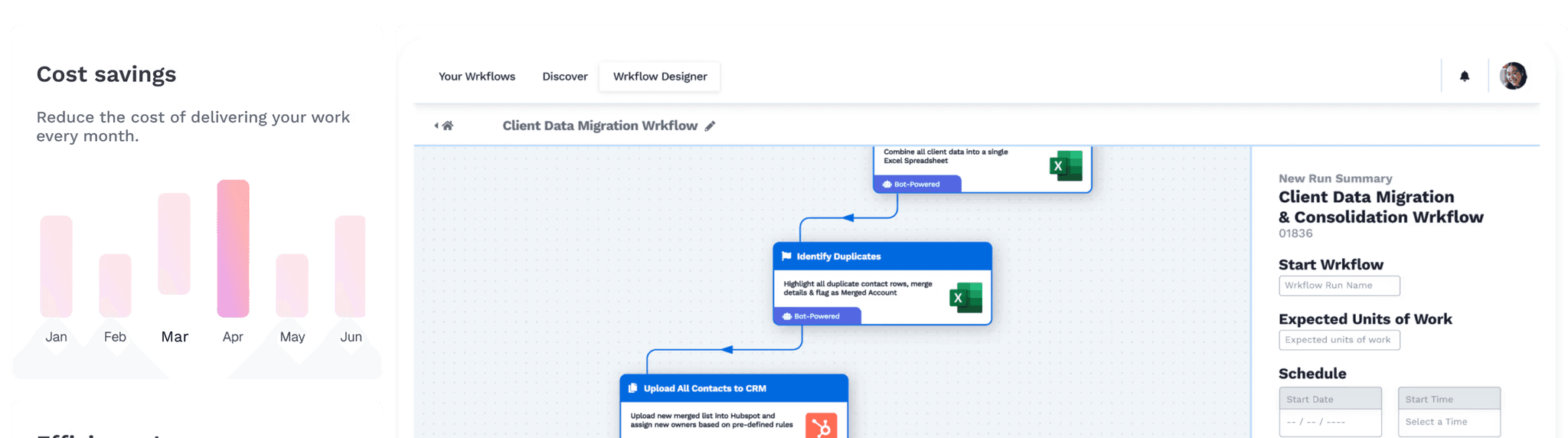
Wrk is a managed automation platform that combines AI, RPA, API connectors, OCR, and human-in-the-loop tasks into a single workflow engine. It’s the only platform on this list that builds, monitors, and maintains workflows on the client’s behalf.
Wrk takes a fundamentally different approach to no-code automation. Instead of handing users a visual builder and leaving them to figure it out, Wrk’s team of automation experts designs and deploys custom workflows within 24 hours.
The platform stands out by combining multiple automation technologies into one orchestration layer. Where most platforms rely solely on API connectors, Wrk stitches together APIs, RPA bots, AI models (including ChatGPT and Anthropic), OCR, and human-based tasks.
Wrk’s pricing model is consumption-based, with a one-time setup fee starting at $1,000. After the build, clients pay per unit of work delivered. Credits never expire and roll over monthly.
Key Features
Done-for-you workflow design, build, testing, and ongoing management by dedicated automation experts
Automation orchestration combining AI, RPA, OCR, API connectors, and human-in-the-loop tasks
Vision-driven RPA that automates legacy systems, green screens, and desktop apps without APIs
2,500+ pre-built bots and connectors for rapid deployment
SOC 2 Type II, HIPAA, and PIPEDA compliance
Consumption-based pricing with no per-user licensing
Who Should Choose Wrk
Operations teams that need end-to-end automation across legacy and modern systems but lack technical resources
Mid-market and enterprise businesses looking for a managed service that eliminates learning curves
Property Managers, Finance, Sales, and HR teams automating complex multi-system workflows like invoice processing or CRM cleanup
Quick Summary
Vellum is an open-source personal AI assistant built for individuals who want AI that actually belongs to them. Where enterprise automation tools are built for teams and workflows, Vellum is built for the person: a persistent, intelligent assistant that lives on your device, builds real context about your life over time, and handles the operational overhead of daily work so you can focus on what matters.
Vellum takes a fundamentally different approach to AI assistance. Rather than configuring workflows on a canvas, you interact with Vellum through natural conversation, across macOS, Slack, Telegram, Discord, SMS, and email. The same memory and identity follow you everywhere. The assistant isn't stateless: it builds a real model of you over weeks and months, learning preferences, projects, and patterns, and acts on them autonomously.
The platform runs on a local-first architecture: your workspace, memories, and config are plain-text files that live on your device. Credentials are isolated in a separate process and never reach the model. Vellum ships with native macOS desktop control (using native Accessibility APIs, not a sandboxed browser), a proactivity engine that checks in hourly for autonomous action, and a skill-based extensibility layer that expands what the assistant can do without manual configuration.
Vellum is free to download and open-source (MIT license), with paid cloud hosting available for persistent background operation.
Key Features
Persistent memory engine that builds a real model of the user over time: preferences, projects, and context that compound across months
Multi-channel presence: desktop, Slack, Telegram, Discord, SMS, iMessage, and email, same memory everywhere
Native macOS desktop control via Accessibility APIs (open apps, click, type, navigate)
Local-first architecture: workspace, memories, and config live as plain-text files on your device
Trust engine with credential isolation: credentials live in a separate process, never reach the model
Skill-based extensibility for expanding assistant capabilities without manual workflow configuration
Proactivity engine for autonomous hourly check-ins and background task execution
Free and open-source (MIT); paid cloud hosting available
Who Should Choose Vellum
Knowledge workers, founders, and creators who want a personal AI that understands them, not a generic chatbot or a tool they have to configure
Individuals who want to replace a stack of point tools (email client, scheduler, research tools, task manager) with a single intelligent assistant that builds context over time
Privacy-conscious users who want local-first architecture with credential isolation, not a cloud-first SaaS with opaque data handling
Vellum vs. Wrk
Vellum and Wrk operate at fundamentally different layers of the automation stack. Vellum is a personal AI assistant: it lives with the individual, handles their daily work, and builds persistent context over time. Wrk is a managed business process automation service: it handles cross-system enterprise workflows, delivered as an outcome by Wrk's team.
The clearest distinction is who the automation serves. Vellum puts an intelligent, autonomous assistant in the hands of each team member individually. Wrk handles the enterprise plumbing: legacy system integrations, RPA, OCR, and cross-department workflows, managed on the organization's behalf.
For organizations, both often coexist: Vellum handling each person's individual workload and personal productivity; Wrk handling the enterprise-layer processes no single team member owns.
Comparison | Vellum | Wrk |
|---|---|---|
Service Model | Personal AI assistant (local-first, open-source) | Fully managed |
AI Capabilities | Persistent memory, autonomous task execution, skills architecture | ChatGPT, Anthropic, AI bots |
Integrations | macOS, Slack, Telegram, Discord, SMS, iMessage, email | 2,500+ bots/connectors |
RPA | Native macOS desktop control (Accessibility APIs) | Yes (vision-driven) |
Evals/Versioning | N/A | Managed by Wrk's team |
Deployment | Local app + optional cloud hosting | Cloud-based managed |
Pricing | Free (open-source) / paid cloud hosting | Per unit ($1K setup) |
Best For | Individual productivity + personal task automation | Cross-system + managed |
Zapier
Quick Summary
Zapier is the most widely adopted no-code automation platform, connecting over 7,000 apps through a simple trigger-and-action workflow builder. It’s the go-to choice for non-technical teams that need fast app integrations.
Zapier built its reputation on simplicity and breadth. Its library of 7,000+ app integrations is the largest in the automation market.
Recent additions include Zapier Tables, Interfaces, AI Copilot, and MCP for AI agent orchestration. The platform has evolved into a broader automation and AI workspace.
The free plan includes 100 tasks/month with two-step Zaps only. The Professional plan starts at $19.99/month (billed annually) for 750 tasks and multi-step workflows.
Key Features
7,000+ app integrations, the largest connector library among automation platforms
Visual drag-and-drop builder with AI Copilot for assisted workflow creation
Multi-step Zaps with conditional paths, filters, and formatters
Native Tables, Interfaces, and Chatbots for complete automation systems
SOC 2 Type II compliant with SAML SSO on Team and Enterprise plans
Who Should Choose Zapier
Non-technical teams that need to connect cloud-based tools quickly
Small businesses running straightforward trigger-action workflows
Organizations that prioritize ecosystem breadth and the most integrations possible
Zapier vs. Wrk
Zapier is a self-service platform for designing cloud-app workflows. Wrk is a managed service that builds, deploys, and maintains complex automations on the client’s behalf.
Zapier excels at connecting cloud apps through API-based triggers. Wrk handles processes spanning APIs, legacy desktop systems, AI processing, and human decision-making in a single workflow.
Comparison | Zapier | Wrk |
Service Model | Self-service | Fully managed |
App Integrations | 7,000+ | 2,500+ bots/connectors |
RPA | No | Yes (vision-driven) |
Human-in-the-Loop | No | Yes |
AI Integration | AI Copilot, fields | ChatGPT, Anthropic |
Pricing | Per task ($19.99/mo) | Per unit ($1K setup) |
Setup Time | Minutes (self-serve) | Under 24 hours |
Compliance | SOC 2 Type II | SOC 2, HIPAA, PIPEDA |
Make
Quick Summary
Make (formerly Integromat) is a visual automation platform with a flowchart-style canvas for building complex, branching workflows. It’s the strongest choice for power users who need conditional logic and data transformation.
Make’s visual scenario builder displays entire workflow logic at a glance, including branching paths, error handling, and real-time execution status.
The platform includes 80+ built-in functions and over 1,800 app integrations. As of late 2025, Make transitioned to credit-based pricing.
The free tier includes 1,000 credits/month. The Core plan starts at $10.59/month for 10,000 credits. The Pro plan at $18.82/month adds priority execution.
Key Features
Visual flowchart canvas with real-time execution monitoring
Advanced conditional logic with routers, filters, iterators, and aggregators
1,800+ app integrations with custom HTTP/webhook support
Built-in AI agent capabilities with bring-your-own API key
SOC 2 Type II certified and GDPR compliant
Make vs. Wrk
Make is a self-service visual builder for users comfortable with conditional logic. Wrk is a managed platform that handles the entire automation lifecycle.
Make gives experienced users deep control over workflow logic. Wrk removes the need for that technical skill entirely by assigning a dedicated automation expert.
Comparison | Make | Wrk |
Service Model | Self-service | Fully managed |
Integrations | 1,800+ | 2,500+ bots/connectors |
RPA | No | Yes (vision-driven) |
Learning Curve | Moderate to steep | None (expert-managed) |
Pricing | Credit ($10.59/mo) | Per unit ($1K setup) |
Compliance | SOC 2, GDPR | SOC 2, HIPAA, PIPEDA |
n8n
Quick Summary
n8n is an open-source, low-code automation platform with a free self-hosted option and execution-based cloud pricing. Best for developer-friendly teams wanting full infrastructure control.
n8n is the leading open-source workflow automation tool. Its Community Edition is free with unlimited workflows and executions when self-hosted.
Cloud pricing starts at approximately $24/month for 2,500 executions. Self-hosting is free but requires DevOps resources.
n8n vs. Wrk
n8n is a developer-oriented tool for teams with technical resources. Wrk is a managed service for teams needing complex automation without development capacity.
Comparison | n8n | Wrk |
Service Model | Self-host or cloud | Fully managed |
Open Source | Yes (fair-code) | No |
Integrations | 400+ nodes | 2,500+ bots/connectors |
RPA | No native RPA | Yes (vision-driven) |
Technical Skill | Moderate to high | None |
Pricing | Free/$24/mo cloud | Per unit ($1K setup) |
Microsoft Power Automate
Quick Summary
Microsoft Power Automate is a workflow automation platform deeply embedded in the Microsoft 365 ecosystem. Natural choice for Microsoft-invested organizations.
Power Automate offers cloud-based workflow automation and desktop-based RPA in one platform. The Premium plan costs $15/user/month.
Power Automate vs. Wrk
Power Automate is tightly coupled with Microsoft. Wrk is vendor-agnostic, automating across any system combination.
Comparison | Power Automate | Wrk |
Service Model | Self-service | Fully managed |
Best For | Microsoft ecosystem | Cross-system, agnostic |
Desktop RPA | Yes | Yes (vision-driven) |
Pricing | $15/user/mo | Per unit ($1K setup) |
Internal IT Required | Yes | No |
Pabbly Connect
Quick Summary
Pabbly Connect is a budget-friendly automation platform with lifetime pricing options and generous task allowances. Strong fit for cost-conscious small businesses.
Pabbly’s Standard plan offers 10,000 tasks/month for $16/month. Its lifetime deal starting at $249 provides perpetual access. Internal logic steps don’t count toward task limits.
Pabbly Connect vs. Wrk
Pabbly focuses on affordability for simple automations. Wrk handles complex, multi-technology workflows with a managed service model.
Comparison | Pabbly Connect | Wrk |
Service Model | Self-service | Fully managed |
Integrations | 2,000+ | 2,500+ bots/connectors |
RPA | No | Yes (vision-driven) |
Lifetime Pricing | Yes (from $249) | No (consumption) |
Compliance | Not published | SOC 2, HIPAA, PIPEDA |
Activepieces
Quick Summary
Activepieces is an open-source, AI-first automation platform with MIT-licensed core and per-flow pricing with unlimited runs. Built for teams wanting open-source flexibility with AI capabilities.
Activepieces charges $5/month per active flow beyond 10 free flows, with unlimited runs per flow. The MIT license provides full codebase transparency.
Activepieces vs. Wrk
Activepieces offers developer flexibility and AI-first features. Wrk provides a broader toolkit with RPA for legacy systems and human-in-the-loop steps.
Comparison | Activepieces | Wrk |
Service Model | Self-host or cloud | Fully managed |
Open Source | Yes (MIT) | No |
Integrations | 590+ | 2,500+ bots/connectors |
AI Agent Support | Native AI, MCP | ChatGPT, Anthropic |
RPA | No | Yes (vision-driven) |
Pricing | $5/flow/mo | Per unit ($1K setup) |
Kissflow
Quick Summary
Kissflow is an enterprise work platform combining no-code app development with workflow automation. Designed for organizations digitalizing internal business processes.
Kissflow bridges IT governance and business-user empowerment through citizen development. Pricing starts at approximately $1,500/month for up to 50 users.
Kissflow vs. Wrk
Kissflow digitalizes internal processes like approvals. Wrk handles complex, cross-system automations spanning legacy systems and external data sources.
Comparison | Kissflow | Wrk |
Service Model | Self-service | Fully managed |
Primary Use Case | Internal processes | Cross-system automation |
App Building | Yes (no-code apps) | No |
RPA | No | Yes (vision-driven) |
Pricing | ~$1,500/mo (50 users) | Per unit ($1K setup) |
Workato
Quick Summary
Workato is an enterprise-grade integration and automation platform for IT teams managing complex, high-volume workflows across ERP, CRM, and ITSM systems.
Workato targets enterprise buyers needing advanced integration beyond simpler tools. Pricing is custom and typically starts in the five-figure annual range.
Workato vs. Wrk
Workato provides deeper integration tooling for large IT teams. Wrk’s managed approach means clients don’t need internal IT capacity to design or maintain automations.
Comparison | Workato | Wrk |
Service Model | Self-service (enterprise) | Fully managed |
Target Market | Large enterprise IT | Mid-market to enterprise ops |
RPA | Limited | Yes (vision-driven) |
Pricing | Custom (enterprise) | Per unit ($1K setup) |
Internal IT Required | Yes | No |
IFTTT
Quick Summary
IFTTT is the simplest and most affordable automation tool for basic trigger-action workflows. Ideal for individuals and small teams needing lightweight automation.
IFTTT focuses on simplicity with its one-trigger, one-action model. The Pro plan costs $3.99/month for up to 20 Applets.
IFTTT vs. Wrk
IFTTT and Wrk occupy opposite ends of the automation spectrum. IFTTT is consumer-grade for simple connections. Wrk is enterprise-grade for complex, multi-technology workflows.
Comparison | IFTTT | Wrk |
Service Model | Self-service (consumer) | Fully managed (business) |
Complexity | Single trigger-action | Multi-step, multi-tech |
Integrations | 900+ | 2,500+ bots/connectors |
RPA | No | Yes (vision-driven) |
IoT/Smart Home | Yes (strong) | No |
Pricing | $3.99/mo (Pro) | Per unit ($1K setup) |
Pro Tip
When comparing automation platforms, calculate total cost of ownership, not just subscription price. Factor in internal labor to build, test, monitor, and fix workflows. We’ve seen companies spend 3 to 5 times their platform subscription on internal staffing for self-service tools.
Full Comparison: All 11 No-Code Automation Platforms
Platform | Model | Starting Price | Integrations | RPA | AI Features | HITL | Open Src | Best For |
|---|---|---|---|---|---|---|---|---|
Wrk | Managed | $1K setup+unit | 2,500+ | Yes | ChatGPT, Anthropic | Yes | No | Complex cross-system |
Vellum | Personal AI assistant (open-source) | Free / paid cloud hosting | macOS, Slack, Telegram, Discord, SMS, email | Native desktop control (Accessibility APIs) | Persistent memory + autonomous execution | N/A | No | Individual productivity + personal task automation |
Zapier | Self-svc | Free/$19.99/mo | 7,000+ | No | AI Copilot | No | No | Simple app connections |
Make | Self-svc | Free/$10.59/mo | 1,800+ | No | AI agents | No | No | Branching workflows |
n8n | Self-svc | Free/$24/mo | 400+ | No | AI Agent nodes | No | Yes | Dev-friendly self-host |
Power Auto. | Self-svc | Incl./$15/user | 1,000+ | Yes | AI Builder | Approvals | No | Microsoft ecosystem |
Pabbly | Self-svc | $16/mo/$249 LT | 2,000+ | No | Basic | No | No | Budget small biz |
Activepieces | Self-svc | Free/$5/flow | 590+ | No | Native AI, MCP | No | Yes | AI-first open source |
Kissflow | Self-svc | ~$1,500/mo | Limited | No | Basic | Approvals | No | Enterprise processes |
Workato | Self-svc | Custom | 1,000+ | Ltd | AI recipes | No | No | Enterprise integration |
IFTTT | Self-svc | Free/$3.99/mo | 900+ | No | No | No | No | Simple consumer auto. |
Start Here: First Steps Checklist
Map one process end-to-end. Pick the most repetitive, time-consuming workflow. Document every step, system, and decision point.
Audit internal technical capacity. Determine whether the team can build and maintain automations or needs a managed service.
Calculate total cost of ownership. Compare platform costs plus internal labor hours for building, testing, and monitoring workflows.
Test with a real workflow, not a demo. Run a pilot on an actual process to uncover real-world edge cases.
Evaluate data security requirements. Confirm compliance certifications (SOC 2, HIPAA, GDPR) match organizational standards.
Frequently Asked Questions
What is a no-code automation platform?
A no-code automation platform lets users build automated workflows between apps and systems without writing code. These platforms use visual interfaces and pre-built connectors to link CRMs, email services, databases, and accounting software.
What’s the difference between no-code and low-code automation?
No-code platforms serve non-technical users with visual builders. Low-code platforms add optional scripting for teams with developer resources. Platforms like n8n and Activepieces blur this line.
How much do no-code automation platforms cost?
Free tiers exist on platforms like Zapier (100 tasks/month) and Make (1,000 credits/month). Paid plans start between $10 and $25/month. Enterprise platforms like Wrk, Kissflow, and Workato use custom pricing.
Which platform is best for small businesses?
Zapier and Pabbly Connect offer the fastest setup and most affordable entry. Make suits teams needing complex conditional logic. Wrk’s managed model works for businesses wanting zero learning curve.
Can no-code platforms handle complex multi-system workflows?
Yes, but capabilities differ. Make, n8n, and Workato support branching logic and data transformation. Wrk goes further with API connectors, RPA, AI, and human-in-the-loop for end-to-end processes.
Are these platforms secure enough for enterprise use?
Leading platforms meet enterprise standards. Wrk holds SOC 2 Type II, HIPAA, and PIPEDA certifications. Zapier and Make are SOC 2 Type II compliant. Always verify certifications before handling sensitive data.
What’s the difference between task-based and execution-based pricing?
Task-based pricing counts each action step as one task. A five-step workflow uses five tasks per run. Execution-based pricing counts each complete workflow run as one execution regardless of steps. Wrk uses per-unit pricing, charging per output delivered.





