
What Is Intelligent Document Processing? A Practical Explainer
Publish Date
May 8, 2026
Intelligent document processing (IDP) is a category of automation software that extracts structured data from semi-structured and unstructured documents using AI and machine learning. It combines OCR, natural language processing, and machine learning models to read, classify, and validate information from invoices, contracts, claims, and similar documents at scale.
This is a vendor-neutral explainer for finance and ops leaders evaluating IDP. We've helped companies across finance, healthcare, insurance, and logistics deploy these tools, and the questions that come up at the buying table are consistent across every vertical.
Key Terms
Intelligent Document Processing (IDP): AI-driven software that captures, classifies, extracts, and validates data from structured, semi-structured, and unstructured documents. Combines OCR, NLP, and machine learning into a single pipeline.
Optical Character Recognition (OCR): Technology that converts images of text into machine-readable characters. The starting point of most IDP pipelines, but not sufficient on its own to understand documents.
Natural Language Processing (NLP): AI techniques that let software understand the meaning of text, not just the characters. NLP is what lets IDP know that "Total Due" and "Amount Owing" point to the same field.
Robotic Process Automation (RPA): Software bots that mimic human clicks and keystrokes to move data between systems. Strong on structured tasks, weak on documents.
Structured data: Information that lives in a defined format with consistent fields, like a database row or a fillable form. Easy for software to read.
Semi-structured data: Documents like invoices and purchase orders where the same fields appear in different places depending on the source. The sweet spot for IDP.
Unstructured data: Free-form content like emails, contracts, or letters with no consistent layout. An estimated 80% to 90% of enterprise data is unstructured.
Human-in-the-loop (HITL): A workflow design where automation handles routine cases and routes only low-confidence extractions to a human reviewer. The standard pattern for production IDP.
What IDP Actually Does, Plainly
IDP takes a document, figures out what kind of document it is, pulls out the fields that matter, validates them, and pushes structured data into the next system. It does this without requiring a template for every variation of layout, which is what separates it from older capture tools.
The output is always structured data. An invoice in becomes vendor name, invoice number, line items, totals, dates, and tax fields out, ready for an ERP. A claim in becomes claimant, policy number, incident date, and damage description out, ready for a claims system.
The work IDP does best is high-volume, semi-structured, and language-heavy. The IDP market reached $14.16 billion in 2026 and is projected to grow at a 26.2% CAGR, driven primarily by finance, healthcare, and insurance use cases.
Key Insight
The simplest way to know whether something is an IDP problem: if a human currently reads the document and types fields into a system, IDP can probably do most of that job. If the human is making complex judgment calls about meaning, IDP can support but not replace them.
IDP vs. OCR: The Difference That Matters
OCR converts images of text into machine-readable characters; IDP understands what the text means. Reading and understanding sound similar but produce very different output.
OCR is template-driven. It works well when documents arrive in a consistent layout and the same fields appear in the same place every time. The moment a vendor changes their invoice template, OCR breaks unless someone reconfigures it.
IDP is model-driven. It learns what an invoice looks like across hundreds of variations and identifies the fields by context, not coordinates. Off-the-shelf OCR yields about 60% accuracy on handwritten or messy documents, while modern IDP platforms reach up to 99% accuracy on diverse layouts.
OCR is a component of an IDP pipeline, not a competitor. Most IDP platforms use OCR as the first step to convert pixels into characters, then layer machine learning on top to understand what those characters mean.
Capability | OCR | IDP |
|---|---|---|
Reads characters | Yes | Yes (via OCR layer) |
Understands document meaning | No | Yes |
Handles layout variation | Requires templates | Adapts via ML |
Validates data | No | Yes |
Improves with use | Static | Continuous learning |
Best fit | Structured, standardized forms | Semi-structured, variable layouts |
IDP vs. RPA: Different Jobs, Better Together
RPA executes tasks by mimicking human clicks and keystrokes across systems. IDP reads and interprets documents. They solve different problems and they work best together.
RPA is rules-based and brittle around documents. RPA alone might accurately process 70% to 85% of cases when dealing with documents, while IDP reaches close to 98% after training. The difference comes from RPA's inability to interpret what it's reading.
IDP without RPA still requires something to push extracted data into your downstream systems. That something is often RPA, which is why most production deployments combine the two: IDP as the brain that reads documents, RPA as the hands that move data.
Pro Tip
If your existing RPA bots break every time a vendor changes an invoice format, you don't have an RPA problem. You have a document understanding problem, which is exactly what IDP exists to solve.
How IDP Works Under the Hood
An IDP pipeline runs five stages, in order, on every document. Understanding the stages helps you evaluate platforms and diagnose problems when accuracy slips.
Stage one is ingestion. Documents arrive from email, scanners, mobile uploads, vendor portals, cloud storage, or APIs. Good IDP platforms accept documents from anywhere without requiring a single intake channel.
Stage two is preprocessing and classification. Images get cleaned (deskewed, denoised, normalized), and machine learning models classify the document type. An invoice gets routed to the invoice extraction model; a contract gets routed to the contract model.
Stage three is extraction. OCR converts the document to text, and ML models identify the fields that matter. Modern IDP combines OCR with NLP to understand context, identify entities, and segment documents using tags, enabling automation of paperwork that varies in structure.
Stage four is validation. The system checks extracted data against business rules and source systems. Does the invoice total match the line items? Does the vendor exist in the master file? Does the PO number reference a real PO?
Stage five is human-in-the-loop review. Anything below a confidence threshold routes to a person, who corrects the extraction and feeds the correction back to the model. In one HITL deployment for the Royal Bank of Scotland, the IDP solution saved an estimated 100,000 to 200,000 hours of manual work annually.
Key Insight
The accuracy you experience in production isn't only the model's accuracy; it's also a function of training data quality, validation rules, and HITL design. A 95% model with strong validation often outperforms a 98% model with weak guardrails.
The Most Common IDP Use Cases
Five use cases account for the majority of IDP deployments across industries. They share a common pattern: high volume, semi-structured layouts that vary by source, and structured data that needs to land in a downstream system.
Invoice Processing
Accounts payable is the most common entry point for IDP. Invoices arrive from hundreds of vendors in dozens of formats, all containing the same logical fields: vendor, invoice number, dates, line items, taxes, and totals.
IDP automates extraction, validates against POs and vendor master data, and pushes structured data into the ERP. Manual invoice processing costs around $9 per invoice, while top performers using IDP drive that to $1.42.
Purchase Order Matching
PO matching is closely related but technically distinct. The work involves comparing a PO, the goods receipt, and the invoice to confirm a three-way match before payment release.
IDP extracts data from each document type, normalizes formats, and flags discrepancies for review. The result is faster cycle times and fewer manual reconciliations at month-end close.
Insurance Claims Processing
Claims are document-heavy by definition: claim forms, police reports, medical records, repair estimates, photos. Each piece of supporting documentation needs to be classified, extracted, and routed.
IDP accelerates settlement by handling the data extraction work that historically required claims clerks. BFSI accounts for 31.7% of the IDP market in part because claims and lending are document-saturated.
KYC and Customer Onboarding
Know-Your-Customer onboarding involves passports, utility bills, proof of address, business registrations, and beneficial ownership documents. Banks and fintechs face strict timelines and high regulatory penalties for getting it wrong.
IDP extracts identity fields, validates against source data, and routes exceptions to compliance teams. The HSBC example is illustrative: automated validation of trade finance documents extracts 65+ data points per transaction pack across nearly 100 million pages annually.
Contract Data Extraction
Contracts are unstructured by nature. Key dates, parties, payment terms, renewal clauses, and indemnification language can appear anywhere in a 30-page document.
IDP combined with NLP identifies these clauses, builds searchable repositories, and flags risky terms for legal review. The use case has expanded as enterprise contract volumes have grown faster than legal team headcount.
What to Evaluate in an IDP Platform
Buyer evaluation should test the platform on your actual documents before any contract is signed. Vendor demos use clean, ideal documents that don't reflect what arrives in your inbox.
Eight criteria consistently separate good fits from bad ones:
Extraction accuracy on your documents. Run a representative sample of 100+ real documents through the platform. Compare extracted fields to ground truth. Don't accept aggregate vendor benchmarks.
Training time and tuning ease. How long until a new document type reaches production accuracy? Does tuning require data scientists, or can ops teams handle it?
Integration with your stack. Native connectors to your ERP, CRM, document management, and RPA platforms matter more than feature checklists.
Security and compliance posture. SOC 2, HIPAA, GDPR, residency, encryption at rest and in transit, audit logging. Get specifics, not assurances.
Exception handling and HITL tooling. Production accuracy lives or dies on how easily reviewers correct low-confidence extractions and feed corrections back to the model.
Total cost of ownership. License plus implementation services plus internal time. Many vendors price low on license and high on services.
Vendor stability. Funding runway, customer concentration, and roadmap velocity. IDP is a long-term commitment.
Scale across document types. Does adding the second and third document type require a new project, or does the platform extend cleanly?
Pro Tip
Make extraction accuracy on your own documents a contractual term, not a marketing promise. The best vendors will agree to accuracy thresholds with remediation obligations if production data shows different results than the proof of concept.
Realistic Implementation Timelines and Resource Needs
A focused single-document-type pilot runs four to twelve weeks from kickoff to production. Enterprise rollouts across multiple document types and business units typically take six to eighteen months.
The first month is data preparation and platform setup. You collect representative documents, label a training sample, and configure intake channels. This is the phase teams underestimate most often.
The second month is model training and validation. The vendor or your team trains the extraction model, runs it against held-out test documents, and tunes accuracy. Expect iteration.
The third month is integration and go-live. You connect the IDP platform to downstream systems (ERP, RPA, ticketing), wire up the HITL review queue, and run parallel processing while your team builds confidence.
Resource needs vary by approach. A vendor-led implementation needs 0.5 to 1 FTE of internal sponsorship plus subject matter experts for labeling and validation. A self-service deployment needs 1 to 2 FTEs with technical and process knowledge.
Key Data Point
According to a 2026 industry comparison, organizations processing 5,000+ documents monthly typically achieve ROI within 24 to 36 months on IDP investments, driven primarily by reduced manual labor and lower error correction costs. Companies under that volume should pressure-test the business case carefully.
The Common Failure Modes in IDP Rollouts
IDP rollouts fail in predictable ways. Knowing the patterns helps you avoid them, and helps you ask vendors the questions that surface risk.
The first failure mode is insufficient training data. Models trained on 50 documents perform very differently from models trained on 500. Vendors who promise great accuracy without a representative training set are setting you up to be disappointed.
The second is treating IDP as a drop-in OCR replacement. Real value comes from redesigning the workflow around the new capability, not from automating the existing manual process step-for-step.
The third is expecting 100% accuracy from day one. Machine learning improves with iteration. Production accuracy in month six is usually meaningfully better than month one.
The fourth is automating everything at once. Industry guidance is consistent: start narrow and expand based on results. Boiling the ocean stalls projects and burns goodwill.
The fifth is skipping change management. Users who don't trust the system route everything to manual review, which defeats the purpose. The HITL queue needs design, training, and clear ownership.
The sixth is ignoring data quality. AIIM research found only 18% of organizations report perfect accuracy in their capture processes, and most of that gap traces back to upstream data quality issues, not the IDP platform itself.
Key Insight
Most IDP failures aren't technology failures. They're project management failures, data preparation failures, or change management failures dressed up as technology failures. The platform you pick matters less than how disciplined the rollout is.
Start Here: A Path Forward for IDP Buyers
Evaluating IDP is a sequenced process, not a software demo. The buyers who get the best outcomes follow a similar order of operations.
Pick one document type with high volume and clear pain. Invoices, claims, or onboarding documents are usually the right starting point. Avoid contracts as a first project; they're harder.
Measure your current state. Cost per document, processing time, error rate, and FTEs allocated. You can't show ROI without a baseline.
Run a vendor proof of concept on your real documents. Use a representative sample of at least 100 documents, ideally including edge cases. Score accuracy against ground truth.
Plan integration before signing. Confirm that the IDP platform talks to your ERP, RPA, or ticketing system. Get vendor commitments in writing.
Design the HITL queue from day one. Decide who reviews low-confidence extractions, what the SLA is, and how corrections flow back to the model.
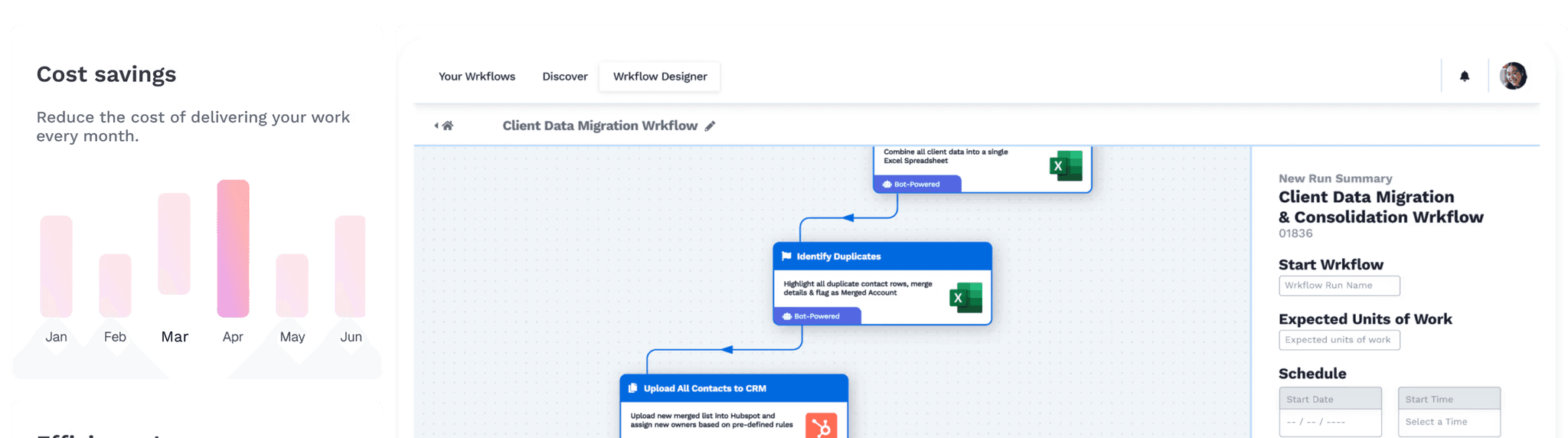
Wrk works with finance and operations teams on exactly this path. We're a done-for-you automation service that integrates IDP platforms (Hyperscience, ABBYY, Rossum, Azure Document Intelligence, and others) with your ERP, RPA, and downstream workflows. We design, build, and monitor the workflows for you, so your team gets the output without owning the integration burden.
Frequently Asked Questions
What is intelligent document processing?
Intelligent document processing (IDP) is a category of automation software that extracts structured data from semi-structured and unstructured documents using AI and machine learning. It combines optical character recognition (OCR), natural language processing (NLP), and machine learning models to read, classify, and validate information from invoices, contracts, claims, forms, and similar documents at scale. Unlike older tools, IDP adapts to new document layouts without requiring a template for each one.
How is IDP different from OCR?
OCR converts images of text into machine-readable characters; IDP understands what the text means. OCR will pull every word from an invoice, including disclaimers and footers, leaving humans to find the vendor name and total. IDP identifies which fields matter, validates the data, and routes the result into downstream systems. OCR is one component of an IDP pipeline, not a substitute for it.
How is IDP different from RPA?
RPA executes tasks by mimicking clicks and keystrokes across systems, following predefined rules. IDP reads and interprets documents using AI. RPA breaks when a screen layout or document format changes; IDP adapts. The two are complementary: IDP extracts the data, RPA pushes it into your ERP, CRM, or workflow tool.
How does IDP work technically?
An IDP pipeline typically runs five stages: ingestion (collecting documents from email, scans, portals, APIs), preprocessing and classification (cleaning images, identifying document type), extraction (OCR plus ML models pulling structured fields), validation (cross-checking against business rules and source systems), and human-in-the-loop review (routing low-confidence extractions to a person). The ML models improve over time as they see more documents and human corrections.
What are the most common IDP use cases?
Five use cases dominate: invoice processing in accounts payable, purchase order matching in procurement, claims processing in insurance, KYC and onboarding documents in financial services, and contract data extraction in legal and procurement. The common pattern is high volume, semi-structured layouts that vary by source, and structured data that needs to land in a downstream system.
What should buyers evaluate in an IDP platform?
Buyers should evaluate eight dimensions: extraction accuracy on their actual documents, training time and ease of model tuning, integration with existing ERP/CRM/RPA stacks, security and compliance posture, exception handling and human-in-the-loop tooling, total cost of ownership including services, vendor stability, and ability to scale across document types. Test on a representative sample before signing.
How long does it take to implement IDP?
A focused single-document-type pilot typically runs four to twelve weeks from kickoff to production, including data preparation, model training, integration, and user acceptance testing. Enterprise-wide rollouts across multiple document types and business units usually take six to eighteen months, depending on document variety and integration complexity. Most failures come from underestimating data preparation, not the technology.
What are the common failure modes in IDP rollouts?
Six failure modes recur. Insufficient training data produces poor accuracy. Treating IDP as a drop-in OCR replacement skips the workflow redesign that creates the value. Expecting 100% accuracy from day one leads to disappointment. Boiling the ocean by automating everything at once stalls projects. Skipping change management means users don't trust or use the system. Ignoring data quality means garbage training data produces garbage models.





