
7 Best Workflow Automation Services for Small Businesses
Publish Date
Feb 24, 2026
Workflow automation services replace manual, repetitive tasks with automated sequences. They connect applications, trigger rule-based actions, and move data between systems.
For small businesses, the right service can recover 10 to 15 hours per week. It can also cut process errors significantly.
This guide ranks seven platforms based on hands-on evaluation, feature depth, and pricing transparency. Each one fills a distinct niche, from fully managed services to open-source developer tools.
Key Terms
Workflow automation: Software that executes tasks automatically based on predefined rules, triggers, and conditions. It eliminates manual handoffs between steps in a business process.
No-code automation: Platforms that let users build workflows through visual, drag-and-drop interfaces without writing code. Zapier, Make, and Monday.com are examples.
Managed automation service: A model where an external team designs, builds, tests, and maintains automated workflows. Wrk is an example of this approach.
RPA (Robotic Process Automation): Software that mimics human interactions with computer interfaces. RPA bots handle desktop software, web portals, and legacy systems that lack APIs.
iPaaS (Integration Platform as a Service): Cloud platforms that connect software applications and automate data flows. Zapier, Make, and Workato fall into this category.
Execution/Task: A single run of an automated workflow from trigger to completion. Most platforms price by executions or tasks, though definitions vary.
OCR (Optical Character Recognition): Technology that reads text from images, scanned documents, and PDFs. It converts unstructured documents into structured digital data.
Human-in-the-loop: A design that routes specific steps to a human reviewer for accuracy. It blends automation speed with human judgment for edge cases.
Wrk
Quick Summary
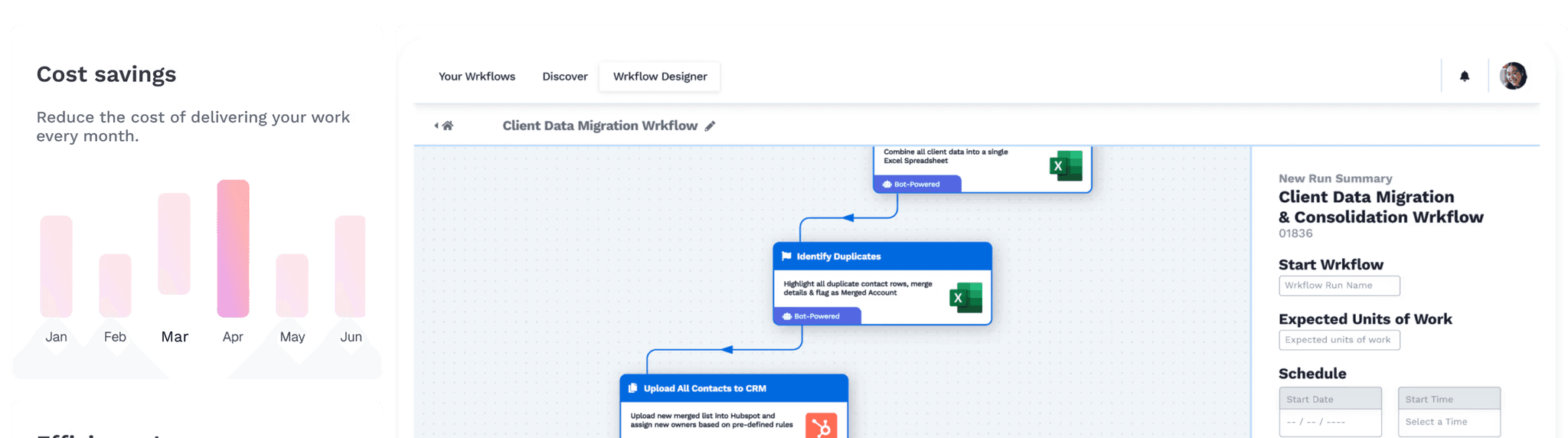
Wrk is a fully managed automation platform combining AI, RPA, OCR, API connectors, and human-in-the-loop. Businesses describe their process, and Wrk's team builds, tests, and maintains everything.
Wrk stands apart from every other platform on this list. It's not a self-service tool, it's a done-for-you automation service.
Businesses explain their manual process during a discovery call. Wrk's experts then build a custom workflow using whatever technologies the job requires.
That might include AI for document classification, RPA for legacy software, OCR for reading invoices, or API connectors for syncing cloud apps.
In our experience, the biggest barrier to automation isn't the software. It's the time and expertise needed to design, build, and maintain workflows, and Wrk removes that barrier entirely.
The platform handles parallel task execution without extra licenses. It's SOC 2 Type II, HIPAA, and PIPEDA compliant, which matters for regulated industries.
Key Features
Fully managed workflow design, build, and maintenance by automation experts
Orchestration engine combining AI, RPA, OCR, API connectors, and human-in-the-loop
Parallel task execution without per-license scaling costs
Vision-based RPA for legacy systems, green screens, and remote desktop environments
Consumption-based pricing with credits that never expire and roll over monthly
SOC 2 Type II, HIPAA, and PIPEDA compliance
Workflows built and delivered in hours to days, not weeks or months
Pricing
Wrk charges a one-time build fee starting at $1,000 to design and deploy a custom workflow. After that, businesses pay through consumption credits starting at $250 per month.
Credits roll over monthly and never expire. If a workflow is deemed unfeasible within 30 days, Wrk reimburses the build cost.
Who Should Choose Wrk
Small businesses without technical staff that need complex processes automated without a learning curve
Companies working with legacy systems, desktop applications, or environments that lack modern APIs
Operations teams in regulated industries that require compliance-ready automation with human oversight
Zapier
Quick Summary
Zapier is the most widely adopted no-code automation platform. It connects over 7,000 apps through trigger-and-action workflows called "Zaps."
Zapier built its reputation on simplicity. Anyone can create automations by picking a trigger in one app and an action in another.
With over 7,000 app integrations, it has the largest connector library on the market. Recent additions include Tables, Forms, AI Copilot, and Zapier MCP for AI orchestration.
For small businesses, Zapier works best for connecting cloud-based tools. Common uses include routing form submissions to a CRM, sending Slack alerts, or syncing Shopify orders with QuickBooks.
The platform's task-based pricing means costs scale directly with usage. High-volume operations can get expensive as task counts climb.
Key Features
7,000+ app integrations, the largest library among automation platforms
Visual drag-and-drop builder with AI-powered Copilot for Zap creation
Multi-step Zaps with conditional paths, filters, and formatting (paid plans)
Built-in Tables and Forms included on all plans at no extra cost
Zapier Agents and Chatbots for AI-powered workflow interactions
SOC 2 Type II compliant with SAML SSO on Team and Enterprise plans
Pricing
Zapier offers a free plan with 100 tasks per month and two-step Zaps. The Professional plan starts at $29.99 per month (billed annually) for 750 tasks.
The Team plan starts at $103.50 per month with 2,000 tasks and 25 seats. Enterprise pricing is custom.
Who Should Choose Zapier
Non-technical small business owners who need to connect popular cloud applications quickly
Solo operators and freelancers who need simple, linear automations between two or three tools
Marketing and sales teams that need fast data synchronization across SaaS applications
Zapier vs Wrk
Zapier is a self-service platform where users build their own cloud app workflows. Wrk is a managed service where experts build automations spanning AI, RPA, OCR, and human review.
Zapier works well for straightforward app-to-app data transfers. Wrk handles end-to-end processes involving legacy systems or unstructured documents.
Businesses with technical staff and simple cloud workflows often start with Zapier. Those needing robust process automation without internal resources tend to choose Wrk.
Comparison Point | Zapier | Wrk |
|---|---|---|
Service model | Self-service (DIY) | Fully managed (done-for-you) |
Setup required | User builds all workflows | Wrk team builds and tests workflows |
App integrations | 7,000+ native connectors | Custom integrations via API, RPA, and OCR |
Legacy system support | Limited (cloud APIs only) | Yes (vision-based RPA for desktop, green screens) |
Human-in-the-loop | No | Yes, built into workflow orchestration |
Pricing model | Per task (starts at $29.99/mo for 750 tasks) | Per outcome (one-time build fee + consumption credits) |
Free plan | Yes (100 tasks/month) | No (build fee starts at $1,000) |
Ideal complexity | Simple to moderate cloud workflows | Complex, multi-technology business processes |
Compliance certifications | SOC 2 Type II | SOC 2 Type II, HIPAA, PIPEDA |
Make
Quick Summary
Make (formerly Integromat) is a visual automation platform for complex, multi-branch workflows. Its drag-and-drop scenario builder gives users fine-grained control over data flow at a lower cost per operation.
Make is a strong choice for businesses that need more sophisticated logic than Zapier offers. Its visual scenario builder displays workflows as connected modules on a canvas.
With over 2,000 app integrations, Make supports routers, iterators, and aggregators. These handle multi-path automations that would require multiple Zaps in Zapier.
The trade-off is a steeper learning curve. Users need to understand data mapping, module configuration, and credit consumption.
In our testing, Make suits users comfortable with logical thinking. Its credit-based pricing tends to be more economical than Zapier for multi-step workflows.
Key Features
Visual scenario builder with routers, filters, iterators, and error handlers
2,000+ app integrations including CRM, marketing, e-commerce, and database tools
Credit-based pricing where credits never expire and roll over
Connections to external AI services like OpenAI via API modules
Detailed execution logs for step-level debugging
Free plan with 1,000 credits per month (no credit card required)
Pricing
Make offers a free plan with 1,000 credits per month. The Core plan starts at $10.59 per month for 10,000 credits.
The Pro plan costs $18.82 per month with priority execution. The Teams plan is $34.12 per month with collaboration features, all billed annually.
Who Should Choose Make
Budget-conscious small businesses that need complex, multi-branch automations at lower per-operation cost
Marketing agencies managing automations across multiple clients or departments
Users comfortable with a moderate learning curve who want granular data flow control
Make vs. Wrk
Make is a self-service visual builder for users who want to construct their own workflows. Wrk is a managed service that builds automations for the business.
Make excels at connecting cloud apps with complex branching logic, and it's significantly cheaper for straightforward app-to-app scenarios.
Wrk's advantage appears when requirements go beyond cloud APIs. Examples include legacy desktop software, scanned documents, or steps needing human judgment.
Make requires internal time to build and troubleshoot, while Wrk includes ongoing monitoring and maintenance.
Comparison Point | Make | Wrk |
|---|---|---|
Service model | Self-service (DIY) | Fully managed (done-for-you) |
Visual builder | Yes (drag-and-drop scenario builder) | Low-code designer available; team builds workflows |
App integrations | 2,000+ native connectors | Custom integrations via API, RPA, and OCR |
Branching logic | Advanced (routers, filters, iterators) | Built into orchestration engine |
Legacy system support | Limited (HTTP requests, webhooks) | Yes (vision-based RPA) |
Human-in-the-loop | No | Yes |
Pricing model | Per credit (starts at $10.59/mo for 10K credits) | Per outcome (one-time build + consumption credits) |
Free plan | Yes (1,000 credits/month) | No |
Maintenance responsibility | User maintains all workflows | Wrk team monitors and maintains |
4. Monday.com
Quick Summary
Monday.com is a work management platform with built-in workflow automation. Its visual board system and pre-built templates make it accessible to non-technical teams.
Monday.com isn't a dedicated automation platform, it's a project management system with automation built in. For teams already using it for task tracking or CRM, that means no separate tool required.
Automations use a "when this happens, do that" recipe system built directly on boards. Common recipes include updating statuses, sending notifications, and assigning tasks based on triggers.
Cross-platform integrations exist for Gmail, Slack, Salesforce, and other tools. The limitation is scope: the Standard plan caps actions at 250 per month, which active teams burn through fast.
For businesses that primarily need project visibility with light automation, Monday.com fits well. For complex cross-platform process automation, a dedicated tool is a better pick.
Key Features
No-code "recipe" builder for board-level automations with pre-built templates
Workflow builder (Pro and Enterprise) for cross-board automations with conditional branching
200+ board templates for project management, CRM, marketing, and HR
Native integrations with Gmail, Outlook, Slack, and Salesforce
AI-powered features for task management and workflow suggestions
Time tracking, resource management, and dashboards on higher plans
Pricing
Monday.com pricing is per seat per month with a three-seat minimum on paid plans. The Standard plan starts at $14 per seat per month (billed annually) with 250 actions.
The Pro plan is $19 per seat per month with 25,000 actions. Enterprise includes 250,000 actions with custom pricing, and a free plan exists for up to two users but excludes automations.
Who Should Choose Monday.com
Small teams already using Monday.com that want basic automation without adopting a separate tool
Businesses that primarily need internal task automation and team notifications
Teams that value a visual, colorful interface for both project tracking and workflow design
Monday.com vs. Wrk
Monday.com is a project management platform with built-in automation for internal workflows. Wrk is a dedicated service for complex processes across multiple systems.
Monday.com is ideal when automation is secondary to task tracking and coordination. Wrk is better when the goal is automating operations like invoice handling or data synchronization.
Monday.com requires the business to build and manage its own automations within platform limits. Wrk delivers ready-to-run automations with ongoing support.
Comparison Point | Monday.com | Wrk |
|---|---|---|
Primary function | Project management with built-in automation | Dedicated workflow automation service |
Service model | Self-service | Fully managed |
Automation scope | Internal board workflows + limited integrations | End-to-end cross-system business processes |
Automation actions (entry plan) | 250/month (Standard) | Consumption-based, no monthly cap |
Legacy system support | No | Yes (RPA, OCR, vision-based automation) |
Pricing model | Per seat/month (starts at $14/seat) | One-time build + consumption credits |
Free plan | Yes (2 users, no automation) | No |
Best for | Teams needing project management + light automation | Businesses needing process automation as a primary solution |
5. n8n
Quick Summary
n8n is an open-source, code-friendly automation platform for teams with technical staff. It offers a free self-hosted option and affordable cloud plans priced per workflow execution.
n8n occupies a unique spot in the automation market. Its Community Edition is completely free and open-source, with unlimited workflows, users, and executions.
For teams with a developer or technically skilled ops person, n8n provides unmatched customization. Users can write JavaScript or Python directly within workflows alongside visual modules.
The execution-based pricing on cloud plans is often more economical than competitors. A 15-step workflow counts as one execution in n8n; that same workflow would count as 15 tasks in Zapier.
n8n also supports native AI agent capabilities for GPT-powered automations. The trade-off is a steeper learning curve and a smaller integration library of roughly 400 to 1,000+ nodes.
The HTTP Request node can connect to any service with an API, though. That gives technical users effectively unlimited integration potential.
Key Features
Free, open-source Community Edition with unlimited workflows, users, and executions (self-hosted)
Execution-based pricing where a full workflow run counts as one execution regardless of step count
Custom JavaScript and Python code supported directly within workflows
Native AI agent capabilities for GPT-powered automation
400+ native nodes plus an HTTP Request node for connecting to any API
Self-hosted option for full data control and privacy
Unlimited workflows, users, and steps on all plans including free
Pricing
The n8n Community Edition is free and self-hosted. Infrastructure costs typically run $50 to $150 per month.
Cloud plans start at roughly 20 EUR per month (Starter, 2,500 executions). The Pro plan is about 50 EUR per month with 10,000 executions, and Business and Enterprise plans offer custom pricing.
Who Should Choose n8n
Small businesses with at least one developer or technically skilled team member
Companies that need full data control and prefer self-hosting over cloud-only platforms
Teams running complex, multi-step workflows where execution-based pricing saves money
n8n vs. Wrk
n8n and Wrk sit at opposite ends of the automation spectrum. n8n gives technical users full control to build, host, and manage workflows; Wrk removes all technical requirements by handling everything.
n8n is significantly cheaper (free when self-hosted) but requires dev time and infrastructure management. Wrk costs more upfront but delivers production-ready automations without internal effort.
n8n works best for businesses with developer resources. Wrk suits businesses that lack technical staff or need multi-technology automations.
Comparison Point | n8n | Wrk |
|---|---|---|
Service model | Self-service (build your own) | Fully managed |
Technical requirement | High (coding skills beneficial) | None (Wrk team handles everything) |
Hosting options | Self-hosted or cloud | Cloud (managed by Wrk) |
Free option | Yes (Community Edition, self-hosted) | No |
Pricing model | Per execution (cloud) or infrastructure only (self-hosted) | One-time build + consumption credits |
Automation technologies | API connectors, code, AI agents | AI, RPA, OCR, API connectors, human-in-the-loop |
Legacy system support | Limited (custom code for screen interaction) | Yes (vision-based RPA, green screen support) |
Maintenance | User-managed (including infrastructure if self-hosted) | Wrk-managed (monitoring, updates, optimization) |
Best for | Technical teams wanting full control and low cost | Non-technical teams needing complex, maintained automations |
6. Process Street
Quick Summary
Process Street is a no-code platform for documenting, tracking, and automating recurring processes. It's particularly strong in compliance, onboarding, and standard operating procedures.
Process Street takes a different approach to workflow automation. Instead of connecting apps or orchestrating data flows, it focuses on making recurring human processes consistent.
Teams create structured checklists with conditional logic, form fields, task assignments, and approval chains. Every completed step creates an audit trail for compliance documentation.
The platform recently added Cora, an AI compliance agent that monitors workflows and flags risks. Process Street also includes Pages for internal knowledge management.
Integration with over 1,000 apps is available through Zapier. For businesses whose primary need is standardizing how work gets done, it's a strong fit.
Its limitation is that it doesn't handle cross-system data automation natively.
Key Features
No-code checklist and workflow builder with conditional logic and dynamic due dates
Cora AI compliance agent for monitoring, enforcement, and risk detection
Pages for knowledge management and SOP documentation alongside workflows
Audit trails and approval chains for compliance-ready process execution
1,000+ app integrations through Zapier
Forms for data collection embedded directly within workflows
Pricing
Process Street's Startup plan begins at $100 per month with up to 5 team members and 100 automation actions. The Pro plan starts at $1,500 per month with expanded capabilities.
Enterprise pricing is custom. No free plan is available, but a free trial is offered.
Who Should Choose Process Street
Small businesses in regulated industries that need audit-ready process documentation
Teams focused on standardizing recurring processes like onboarding or quality control
Operations leaders who need visibility into who completed what, when, and how
Process Street vs. Wrk
Process Street automates the human side of processes, ensuring teams follow standardized steps. Wrk automates the tasks themselves: data extraction, system syncing, and document processing.
A business might use Process Street to ensure accounts payable follows the right steps. That same business could use Wrk to automate the actual invoice extraction and payment processing.
For businesses whose pain point is process inconsistency, Process Street fits better. For those needing to eliminate manual data work, Wrk is the stronger option.
Comparison Point | Process Street | Wrk |
|---|---|---|
Primary focus | Process documentation and checklist execution | End-to-end task automation |
Automation type | Human workflow management (who does what, when) | Machine execution (data extraction, system integration) |
Service model | Self-service | Fully managed |
AI capabilities | Cora AI for compliance monitoring | AI for document classification, extraction, decisions |
Legacy system support | No (Zapier integrations only) | Yes (RPA, OCR, vision-based automation) |
Compliance features | Audit trails, approval chains, policy enforcement | SOC 2 Type II, HIPAA, PIPEDA compliance |
Starting price | $100/month (Startup plan) | $1,000 one-time build + $250/month credits |
Best for | Standardizing human workflows and compliance | Automating repetitive data and system tasks |
7. Workato
Quick Summary
Workato is an enterprise-grade automation platform built around AI-driven recipes. It targets growing SMBs and mid-market companies investing in scalable integration.
Workato sits at the enterprise end of the automation spectrum. It earns a spot on this list because growing small businesses sometimes need enterprise-grade capabilities.
The platform combines iPaaS with AI-powered automation, offering pre-built recipes for systems like HubSpot, Salesforce, Workday, and NetSuite. Its strength is automating complex workflows spanning multiple departments.
The barrier for most small businesses is cost. Workato's pricing isn't published publicly and typically starts at $10,000 or more per year.
Sales consultation is required to get a quote. For SMBs that have outgrown simpler tools, Workato is a serious contender.
For businesses earlier in their automation journey, a less expensive platform makes more sense.
Key Features
AI-powered recipe builder with pre-built automation templates across departments
Enterprise-grade security with SOC 2, HIPAA, and GDPR compliance
Real-time AI agents for marketing, sales, HR, IT, and customer service
Deep integrations with Salesforce, Workday, NetSuite, and SAP
Connector SDK for building custom integrations
Used by companies including HubSpot, Monday.com, and NYU
Pricing
Workato doesn't publish pricing publicly, but annual contracts typically start at $10,000 or more based on industry estimates.
A demo or sales consultation is required to receive a quote. This pricing model suits businesses with established automation budgets.
Who Should Choose Workato
Growing SMBs that have outgrown simpler tools and need enterprise-grade integration
Companies requiring deep, real-time integrations with Salesforce, NetSuite, or Workday
Businesses planning to scale automation organization-wide across multiple departments
Workato vs. Wrk
Workato is a self-service enterprise platform where internal teams build integrations using a low-code recipe system. Wrk is a fully managed service where external experts build and maintain automations.
Workato suits businesses with in-house IT resources and enterprise budgets. Wrk suits businesses that want production-ready automation without internal staffing.
Wrk's consumption-based pricing is also more accessible for small businesses. Workato's annual contracts represent a larger financial commitment.
Comparison Point | Workato | Wrk |
|---|---|---|
Service model | Self-service enterprise platform | Fully managed service |
Target market | Mid-market to enterprise | Small to mid-sized businesses |
Technical requirement | Moderate (low-code, IT involvement typical)Annual contract (typically $10,000+/year) | None |
Pricing model | No | One-time build + consumption credits |
Free plan | Yes (Connector SDK, enterprise integrations) | No |
Legacy system support | Limited | Yes (RPA, OCR, vision-based automation) |
Human-in-the-loop | Weeks to months (internal build required) | Yes, built into workflow orchestration |
Deployment speed | Weeks to months (internal build required) | Hours to days (Wrk team builds) |
Best for | Growing companies with IT teams and enterprise budgets | SMBs wanting expert-built automation without enterprise costs |
Complete Comparison: All 7 Workflow Automation Services
Feature | Wrk | Zapier | Make | Monday.com | N8n | Process Street | Workato |
|---|---|---|---|---|---|---|---|
Service model | Fully managed | Self-service | Self-service | Self-service | Self-service | Self-service | Self-service |
Best for | Complex processes, no tech staff | Simple app connections | Complex branching workflows | Project management + automation | Technical teams, open-source | Recurring checklists, compliance | Enterprise cross-department |
Starting price | $1,000 build + $250/mo | Free (100 tasks/mo) | Free (100 tasks/mo) | Free (2 users, no automation) | Free (self-hosted) | $100/mo | ~$10,000+/year |
Pricing model | Per outcome | Per task | Per credit (operation) | Per seat + action limits | Per execution | Flat monthly | Annual contract |
App integrations | Custom (API + RPA) | 7,000+ | 2,000+ | 200+ (native) | 400+ (+ HTTP node) | 1,000+ (via Zapier) | 1,000+ (native) |
No-code builder | Low-code (team builds) | Yes | Yes | Yes | Visual + code | Yes | Low-code |
RPA capability | Yes (vision-based) | No | No | No | Limited | No | Limited |
OCR / document processing | Yes | No | No (external API) | No | No (external API) | No | Limited |
Human-in-the-loop | Yes | No | No | No | No | Yes (checklist-based) | Limited |
Self-hosted option | No | No | No | No | Yes | No | No |
Technical skill required | None | Low | Moderate | Low | High | Low | Moderate |
Key Insight
We've seen that small businesses get the fastest ROI by automating one painful process fully before expanding. The platform matters less than the discipline of starting small and proving value first.
Start Here: Action Checklist
Identify the most time-consuming manual process. List every step, every system involved, and every decision point.
Assess internal technical resources. If someone on the team can build workflows, start with Zapier, Make, or n8n. If not, a managed service like Wrk removes the barrier.
Map the technology requirements. Cloud-only processes suit iPaaS tools. Processes with legacy software or scanned documents need RPA and OCR.
Test with a free plan or trial. Zapier, Make, and n8n offer free tiers. Process Street and Wrk offer trials or money-back guarantees.
Measure results after 30 days. Track time saved, error reduction, and process throughput. Most businesses see positive ROI within 30 to 60 days.
Pro Tip
When evaluating pricing, compare cost per outcome, not cost per plan. A $29.99 Zapier plan processes 750 tasks; a $250 Wrk plan might automate 250 invoices end-to-end.
The right comparison is cost per completed business outcome.
Frequently Asked Questions
What are workflow automation services?
Workflow automation services are platforms or managed solutions that replace manual tasks with automated sequences. They connect applications, trigger rule-based actions, and move data without human intervention.
Options range from self-service no-code platforms like Zapier to fully managed services like Wrk. The right choice depends on technical resources and process complexity.
How much do workflow automation services cost for small businesses?
Costs vary widely by platform and model. Self-service platforms like Make start at $10.59 per month, while Zapier's paid plans begin at $29.99.
Managed services like Wrk charge a one-time build fee starting at $1,000 plus credits from $250 per month. Enterprise platforms like Workato typically start at $10,000 or more annually.
What's the difference between no-code and managed automation?
No-code platforms like Zapier and Make provide visual builders for creating automations without coding. The business builds and maintains workflows internally.
Managed services like Wrk handle everything: design, integration, testing, and ongoing maintenance. No-code tools require internal time; managed services offload that work entirely.
Can small businesses automate without technical staff?
Yes. Zapier and Monday.com offer intuitive builders designed for non-technical users. Process Street provides a low learning curve for checklist-based workflows.
For teams that prefer zero involvement in the build process, Wrk handles everything from design to deployment and ongoing monitoring.
How long does it take to implement workflow automation?
Simple two-step automations in Zapier or Make can go live within minutes. More complex multi-step workflows may take days or weeks to configure and test.
Managed services like Wrk typically deliver working automations within hours to days, since their experienced team handles the entire build.
What types of tasks can small businesses automate?
Common targets include lead capture, CRM updates, invoice processing, employee onboarding, data syncing, email sequences, and report generation. The specifics depend on the platform chosen.
App connectors like Zapier handle cross-application data transfers. Orchestration platforms like Wrk automate end-to-end processes involving AI, RPA, OCR, and human review.
Should a small business choose self-service or managed automation?
Self-service platforms work well for teams with a technically curious person who can build workflows. They cost less upfront and offer immediate control.
Managed services suit businesses needing complex automations with legacy systems or multiple technologies. The higher upfront cost is offset by faster deployment and less internal time.





