
10 Best Business Process Automation Tools
Publish Date
Mar 25, 2026
Business process automation (BPA) tools are software platforms that execute recurring tasks, workflows, and multi-step operations with minimal human involvement. These tools connect systems, enforce business rules, and move data between applications to reduce manual work.
The BPA software market is projected to grow from $13.7 billion in 2025 to $33.58 billion by 2033. In our testing of dozens of platforms for client work, the right BPA tool cuts processing time by 50% or more. Invoice handling and data entry are the most common high-impact starting points.
This guide ranks the 10 best business process automation tools based on feature depth, ease of implementation, pricing transparency, and real-world performance. Each tool is evaluated for its strengths, ideal use cases, and how it compares to the field.
Key Terms
Business Process Automation (BPA): The practice of using technology to automate complex, multi-step business processes across systems and teams. BPA covers end-to-end workflows, not just individual tasks.
Robotic Process Automation (RPA): Software that mimics human actions on a screen to perform repetitive, rule-based tasks. Examples include data entry, form filling, and copying information between applications.
Workflow Orchestration: The coordination of multiple automation steps, decision points, and system handoffs into a single managed process. Orchestration engines determine which tool or action executes at each step.
Human-in-the-Loop (HITL): A process design where human workers handle exceptions, complex decisions, or quality checks within an otherwise automated workflow. HITL ensures accuracy when automation alone isn’t sufficient.
Low-Code/No-Code: Development approaches that allow users to build applications and workflows using visual interfaces rather than traditional programming.
iPaaS (Integration Platform as a Service): Cloud-based platforms that connect different software applications and automate data flows between them. Zapier and Make are common examples.
OCR (Optical Character Recognition): Technology that converts images of text into machine-readable data. OCR is essential for automating document-heavy processes like invoice processing.
Process Mining: Analytical techniques that use system event logs to discover, visualize, and improve business processes. Process mining identifies bottlenecks before automation begins.
Wrk
Quick Summary
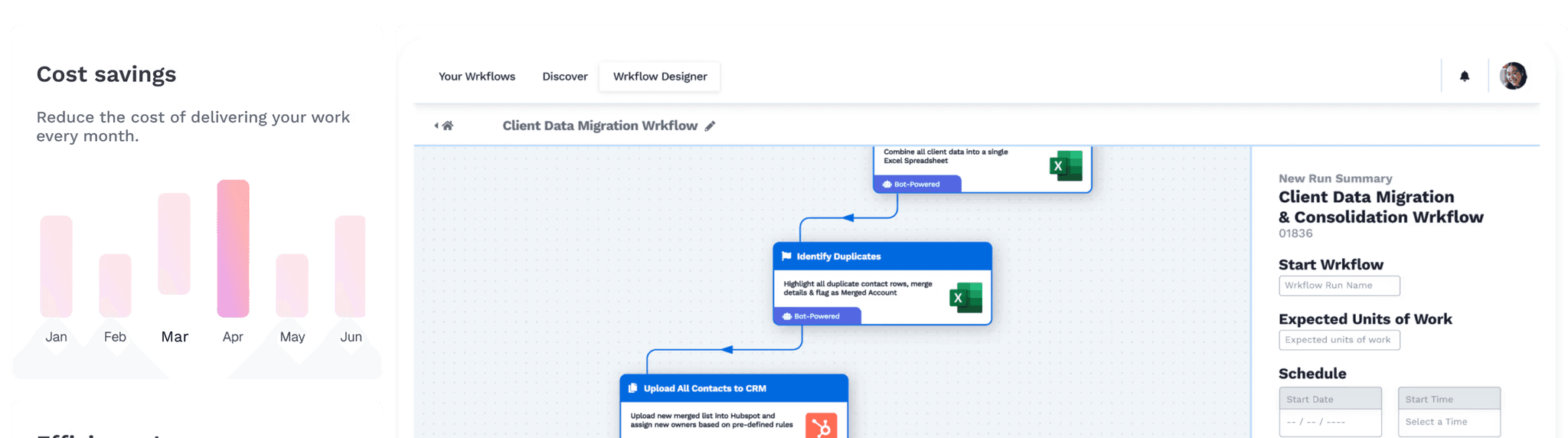
Wrk is a fully managed automation platform that combines AI, RPA, OCR, API connectors, and human-in-the-loop tasks in a single orchestration engine. It’s built for businesses that want working automations delivered in days, not months.
Wrk stands apart from most BPA tools because it isn’t a self-service software product. It’s a done-for-you automation service backed by a platform that stitches together multiple automation technologies.
Describe a process to the Wrk team, and they’ll build, test, and deploy a working automation. Standard workflows are typically delivered within 24 hours.
The platform’s orchestration engine selects the best technology for each step. That might be an API connector, an AI model, an RPA bot, or a human worker. This eliminates the need to buy separate OCR, iPaaS, RPA, and AI licenses from multiple vendors.
Wrk is SOC 2 Type II certified and operates in accordance with HIPAA and PIPEDA standards. This makes it a strong fit for regulated industries like healthcare, finance, and legal services.
Key Features
Automation orchestration engine combining AI, RPA, OCR, API connectors, and human tasks
Fully managed service with dedicated automation experts who build, test, and maintain workflows
Vision-driven RPA for legacy systems, green screens, and applications without APIs
Built-in generative AI for content generation, data enrichment, and intelligent decisions
Outcome-based pricing with credits that never expire and roll over monthly
Cloud-native architecture with no software installation required
2,500+ pre-built bots and connectors for rapid deployment
Who Should Choose Wrk
Businesses that need working automations without hiring developers or managing RPA licenses
Organizations in regulated industries requiring SOC 2, HIPAA, or PIPEDA compliance
Teams relying on legacy systems lacking APIs that need screen-based automation
Pricing
Wrk uses outcome-based pricing. A one-time workflow setup fee starts at $1,000, and ongoing usage is charged per unit through credits starting at $250 per month. Credits roll over and never expire.
For example, a workflow that generates automated client reports in PDF could cost $1.10 per report. This model converts fixed costs into variable costs, making automation accessible for growing businesses.
Zapier
Quick Summary
Zapier is a self-service iPaaS platform that connects over 8,000 apps through automated workflows called Zaps. It’s the most widely adopted integration tool for non-technical teams.
Zapier is the default choice for teams that need to connect cloud applications quickly without engineering support. Its library of 8,000+ app integrations is the largest in the market.
The platform has expanded beyond simple triggers and actions. Zapier now offers Tables, Interfaces, and AI-powered Agents that can reason and execute tasks autonomously.
Key Features
8,000+ app integrations covering nearly every major SaaS product
Multi-step Zaps with conditional paths, filters, and data formatting on paid plans
Zapier Copilot for building automations using plain-language descriptions
Built-in Tables, Interfaces, and Chatbots for custom internal tools
SOC 2 Type II and SOC 3 compliant with SSO and role-based access controls
Who Should Choose Zapier
Non-technical teams connecting SaaS tools quickly without developer involvement
Small businesses and startups testing automation for the first time
Marketing and sales teams automating lead routing, CRM updates, and notifications
Pricing
Zapier offers a free plan with 100 tasks per month and two-step Zaps. The Professional plan starts at $19.99/month (billed annually). Team plans start at $69/month; Enterprise pricing is custom.
Task-based pricing means costs scale with usage. Each action in a Zap counts as one task, so a four-step workflow uses four tasks per run.
Zapier vs. Wrk
Zapier excels at connecting SaaS applications through a self-service interface, ideal for lightweight data-routing tasks. Wrk takes a fundamentally different approach as a managed service that builds complex, multi-technology automations.
Zapier requires users to design and maintain their own workflows; Wrk handles that entirely. For simple app-to-app connections, Zapier is faster to start. For complex processes involving legacy systems or document processing, Wrk delivers more complete coverage.
Comparison Point | Wrk | Zapier |
|---|---|---|
Approach | Fully managed, done-for-you | Self-service, DIY |
Setup Model | Wrk team builds automations | Users build their own Zaps |
RPA Capability | Built-in vision-driven RPA | No native RPA |
OCR / Document Processing | Built-in | Requires third-party apps |
Human-in-the-Loop | Native, scalable | Not available |
App Integrations | 2,500+ bots and connectors | 8,000+ app integrations |
Pricing Model | Per-unit outcome-based credits | Per-task subscription tiers |
Compliance | SOC 2 Type II, HIPAA, PIPEDA | SOC 2 Type II |
Legacy System Support | Yes, via RPA and computer vision | No |
Best For | Complex, multi-system processes | Simple SaaS-to-SaaS connections |
UiPath
Quick Summary
UiPath is an enterprise-grade RPA platform that creates software robots for mimicking human actions across desktop and web applications. It’s the industry leader for large-scale robotic process automation.
UiPath is the heavyweight of the RPA market, trusted by organizations like NASA, Deloitte, and Uber. Its drag-and-drop Studio environment allows developers to build bots that interact with virtually any application.
The platform introduced Autopilot in 2025, allowing users to describe automations in plain language. UiPath also offers StudioX, a simplified version for business users automating personal desktop tasks.
Key Features
Enterprise-grade RPA with attended and unattended bot capabilities
Document Understanding for AI-powered extraction from unstructured documents
Autopilot for natural-language automation building
Process Mining to discover inefficient workflows before automating
UiPath Academy providing free online training and certifications
Orchestrator for centralized bot scheduling, monitoring, and management
Who Should Choose UiPath
Large enterprises with dedicated RPA development teams and complex automation needs
Organizations in finance, healthcare, and insurance processing high document volumes
IT departments needing granular control over bot deployment, security, and governance
Pricing
UiPath offers a free Community Edition for individuals and small businesses under $5M revenue. The Pro plan starts at approximately $420/month. Enterprise pricing is custom.
UiPath vs. Wrk
UiPath gives technical teams granular control over RPA bot development and deployment. Wrk takes the opposite approach: its managed service team handles the entire build.
UiPath also requires organizations to manage multiple licenses, infrastructure, and bot maintenance. Wrk bundles RPA, AI, OCR, and API connectors into one platform with a single pricing model.
Comparison Point | Wrk | UiPath |
|---|---|---|
Approach | Fully managed service | Self-service development platform |
Technical Skill Required | None (Wrk team builds) | High (RPA developers needed) |
Time to First Automation | Days | Weeks to months |
Pricing Model | Outcome-based credits | Per-user/bot subscription |
AI Integration | Built-in generative AI | Autopilot, AI Center (add-on) |
Human-in-the-Loop | Native | Limited |
OCR / Document Processing | Built-in | Document Understanding |
Legacy System Automation | Vision-driven RPA | UI automation with selectors |
Compliance | SOC 2 Type II, HIPAA, PIPEDA | SOC 2, ISO 27001 |
Best For | SMBs without RPA staff | Enterprises with RPA teams |
Microsoft Power Automate
Quick Summary
Microsoft Power Automate is a workflow automation tool deeply integrated with the Microsoft 365 ecosystem. It’s the most natural BPA choice for organizations already invested in Microsoft products.
Power Automate benefits from seamless integration with Microsoft 365, Dynamics 365, SharePoint, and Teams. For organizations already paying for Microsoft 365, basic cloud flow automation is included at no extra cost.
In 2025, Microsoft added Copilot Studio for natural-language automation building. The platform also supports RPA through desktop flows on Windows machines.
Key Features
Native integration with Microsoft 365, Dynamics 365, SharePoint, and Teams
900+ connectors including premium third-party options
Desktop flows for attended and unattended RPA on Windows
Copilot Studio for building automations with natural language
AI Builder for form processing, object detection, and text classification
Process Mining for identifying workflow inefficiencies
Who Should Choose Microsoft Power Automate
Organizations already embedded in the Microsoft 365 ecosystem
IT departments wanting centralized governance across automation
Teams needing basic workflow automation included in existing Microsoft 365 licenses
Pricing
Basic cloud flows using standard connectors are included with Microsoft 365. The Premium plan costs $15/user/month. Process plan: $150/bot/month. Hosted Process: $215/bot/month.
Microsoft Power Automate vs. Wrk
Power Automate shines in Microsoft-centric environments connecting Outlook, SharePoint, and Teams workflows. Wrk is platform-agnostic and doesn’t require any single vendor’s ecosystem.
Power Automate’s premium features (RPA, AI Builder, premium connectors) add cost quickly and require IT involvement. Wrk’s managed model removes that burden.
Comparison Point | Wrk | Microsoft Power Automate |
|---|---|---|
Ecosystem Dependency | Platform-agnostic | Optimized for Microsoft 365 |
Setup Model | Managed by Wrk team | Self-service with IT support |
Free Tier | No free plan | Basic flows with M365 |
RPA | Vision-driven, cloud-native | Desktop flows (Windows only) |
AI Capabilities | Built-in generative AI | AI Builder (add-on cost) |
Human-in-the-Loop | Native | Manual approval steps only |
Legacy System Support | Full (any screen-based app) | Windows desktop apps only |
Pricing Complexity | Simple per-unit credits | Complex tiered licensing |
Compliance | SOC 2 Type II, HIPAA, PIPEDA | SOC 2, ISO 27001, HIPAA eligible |
Best For | Cross-platform automation | Microsoft-first organizations |
5. Automation Anywhere
Quick Summary
Automation Anywhere is a cloud-native RPA platform combining AI, machine learning, and bot orchestration for enterprise-scale process automation. Its Automation 360 platform is built for large organizations.
Automation Anywhere’s cloud-native architecture sets it apart from legacy RPA vendors. The Automation 360 platform lets teams build, deploy, and manage bots entirely from a web browser.
The platform introduced Autopilot in 2025, generating complete bot workflows from process maps. It also offers a Bot Store with 1,200+ pre-built digital workers.
However, licensing costs are substantial. The platform is best suited for mid-size to large enterprises with sufficient budget to justify the investment.
Key Features
Cloud-native, web-based RPA platform (Automation 360)
IQ Bot for intelligent document processing with AI and machine learning
Bot Store with 1,200+ pre-built bots and digital workers
Autopilot for AI-assisted bot generation from process maps
CoE Manager for centralized automation governance and tracking
Enterprise-grade security with AES-256 encryption and role-based access
Who Should Choose Automation Anywhere
Mid-size to large enterprises with established automation programs and budgets
Organizations in banking, healthcare, insurance, and telecom
Companies preferring a cloud-native RPA platform without on-premise infrastructure
Pricing
Free Community Edition for learning. Cloud Starter Pack begins at $750/month. Enterprise pricing is custom; median annual costs around $27,650 for mid-size deployments.
Automation Anywhere vs. Wrk
Automation Anywhere provides a powerful self-service RPA platform for teams with dedicated automation staff. Wrk delivers comparable outcomes through a managed service.
Both platforms are cloud-native, but Wrk’s orchestration engine combines RPA with AI, OCR, and human tasks in a single workflow. Automation Anywhere requires separate configuration for these.
Comparison Point | Wrk | Automation Anywhere |
|---|---|---|
Approach | Fully managed service | Self-service RPA platform |
Cloud Architecture | Cloud-native | Cloud-native (Automation 360) |
Technical Skill Required | None | RPA developer skills needed |
Time to First Automation | Days | Weeks to months |
AI Integration | Built-in generative AI | IQ Bot, Autopilot |
Human-in-the-Loop | Native, scalable | Limited to attended bots |
Pricing Model | Outcome-based credits | Per-bot subscription |
Entry Cost | $1,000 setup + $250/mo | $750/month starter |
Compliance | SOC 2 Type II, HIPAA, PIPEDA | SOC 2, ISO 27001 |
Best For | SMBs wanting managed automation | Enterprises with RPA teams |
Make (formerly Integromat)
Quick Summary
Make is a visual workflow automation platform connecting 3,000+ apps through a drag-and-drop scenario builder. It’s the strongest option for technical teams needing complex branching logic at lower cost.
Make’s visual canvas approach is its defining feature. Instead of linear workflows, Make displays data flows as a map with branching routers, loops, and error handlers.
The platform connects with over 3,000 apps and supports custom HTTP/webhook integrations. Make is significantly cheaper than Zapier at scale, offering 10,000 operations for $9/month versus Zapier’s 750 tasks at $19.99.
Key Features
Visual scenario builder with drag-and-drop modules, routers, and error handlers
3,000+ pre-built app integrations plus HTTP/webhook support
Advanced logic tools: conditional branching, iterators, and aggregators
Data stores for persistent data storage across scenarios
Operations-based pricing that’s cost-effective for high-volume workflows
Who Should Choose Make (formerly Integromat)
Technical teams needing complex, multi-branch automations with advanced logic
Cost-conscious small businesses wanting powerful automation at lower cost
Operations and IT teams comfortable with a steeper learning curve
Pricing
Free plan with 1,000 operations/month. Core: $9/month for 10,000 operations. Pro: $16/month. Teams: $29/month. Enterprise: custom.
Make (formerly Integromat) vs. Wrk
Make is a self-service tool for users who enjoy designing workflows visually. Wrk is a managed service for teams that want results without building anything themselves.
Make is limited to app-to-app integrations; it has no RPA, OCR, or human-in-the-loop capabilities. Wrk covers all of these, making it stronger for processes spanning legacy systems and documents.
Comparison Point | Wrk | Make (formerly Integromat) |
|---|---|---|
Approach | Fully managed | Self-service visual builder |
RPA Capability | Built-in | Not available |
OCR / Document Processing | Built-in | Requires third-party modules |
Human-in-the-Loop | Native | Not available |
App Integrations | 2,500+ bots/connectors | 3,000+ app integrations |
Learning Curve | None (managed service) | Moderate to steep |
Pricing Model | Outcome-based credits | Operations-based subscription |
Starting Price | $1,000 setup + $250/mo | Free (1,000 ops/mo) |
Legacy System Support | Yes | No |
Best For | Complex, managed processes | Technical teams building integrations |
Kissflow
Quick Summary
Kissflow is a no-code BPA platform enabling non-technical users to build workflows through drag-and-drop tools. It’s best suited for small to mid-size businesses needing straightforward process automation.
Kissflow’s strength is simplicity. Its drag-and-drop interface lets business users design workflows for common processes without IT involvement.
Employee onboarding, purchase approvals, and help desk tickets are typical use cases. The platform also includes project management features for process automation and work management.
Kissflow offers pre-built templates across HR, finance, procurement, and IT service management. Its AI capabilities have expanded with intelligent form routing and process optimization.
However, Kissflow lacks the depth needed for complex enterprise workflows. Its feature set is limited compared to platforms like Appian or Nintex.
Key Features
No-code drag-and-drop workflow builder for business users
Pre-built templates for HR, finance, procurement, and IT workflows
Built-in project management and collaboration tools
AI-powered process optimization and intelligent form routing
Integration with third-party apps via connectors and APIs
Who Should Choose Kissflow
Small to mid-size businesses needing simple workflow automation
HR, finance, and procurement teams looking for pre-built process templates
Organizations wanting combined workflow automation and project management
Pricing
Pricing starts at approximately $1,500/month for 50 users. Enterprise plans require custom quotes. No free plan, but a trial is available.
Kissflow vs. Wrk
Kissflow empowers business users to build their own simple workflows, while Wrk delivers complex automations as a managed service. Kissflow lacks RPA, OCR, and human-in-the-loop capabilities.
For straightforward approval chains and routing workflows, Kissflow is effective. For end-to-end automation across multiple systems, Wrk provides substantially more depth.
Comparison Point | Wrk | Kissflow |
|---|---|---|
Approach | Fully managed | Self-service no-code |
RPA Capability | Built-in | Not available |
OCR / Document Processing | Built-in | Not available |
Human-in-the-Loop | Native | Manual approval steps only |
Complexity Ceiling | High (multi-system) | Low to moderate |
Technical Skill Required | None | Low |
Pricing Model | Outcome-based credits | Per-user subscription |
Compliance | SOC 2 Type II, HIPAA, PIPEDA | SOC 2 |
Best For | Complex, multi-system processes | Simple internal workflows |
Appian
Quick Summary
Appian is a low-code platform combining application development, BPA, and AI-driven process mining for enterprise-scale digital transformation. It’s designed for organizations building custom apps alongside automation.
Appian is more than a BPA tool. It’s a full low-code application development platform with strong process automation capabilities.
Organizations use Appian to build custom applications, automate workflows, manage cases, and orchestrate RPA bots. Its Process Mining feature uses AI to identify the best automation candidates.
Case management features make Appian particularly strong for financial services, government, and healthcare. The trade-off is complexity: Appian’s learning curve is steeper, and its licensing can be expensive.
Key Features
Low-code application development with drag-and-drop interface
AI-powered Process Mining for discovering automation opportunities
Intelligent Document Processing for unstructured data extraction
Built-in case management for complex, multi-step processes
RPA integration for automating screen-based tasks within workflows
Cloud and on-premise deployment options
Who Should Choose Appian
Large enterprises needing custom business applications with process automation
Government agencies and financial institutions with complex regulatory workflows
Organizations wanting process mining to identify automation candidates first
Pricing
Appian offers a free tier for small deployments. Enterprise pricing is custom based on application usage. Licensing can be substantial for large-scale deployments.
Appian vs. Wrk
Appian is a platform for building custom enterprise applications with embedded automation. Wrk is a managed service focused purely on automating business processes.
Appian requires developer resources even with its low-code tools. Wrk requires no internal technical resources. For teams that need custom apps, Appian fits. For fast process automation, Wrk delivers quicker.
Comparison Point | Wrk | Appian |
|---|---|---|
Primary Focus | Process automation | Low-code apps + automation |
Setup Model | Fully managed | Self-service low-code |
Technical Skill Required | None | Low-code development skills |
Process Mining | Not built-in | AI-powered, included |
RPA | Built-in | Integrated RPA |
Human-in-the-Loop | Native | Case management workflows |
Deployment | Cloud only | Cloud and on-premise |
Pricing Model | Outcome-based credits | Per-user/application licensing |
Time to First Automation | Days | Weeks to months |
Best For | Teams wanting managed automation | Enterprises building custom apps |
Pipefy
Quick Summary
Pipefy is a no-code workflow automation platform with built-in AI agents for HR, finance, IT, and procurement teams. It uses a Kanban-style visual interface for structured, repeatable processes.
Pipefy organizes work in a Kanban-style pipe system. Each “pipe” represents a process like hiring or purchase requests, with cards moving through defined phases.
This visual structure makes it easy for non-technical users to track workflow status at a glance. The AI Agent Studio allows teams to create specialized AI agents for specific processes.
Key Features
No-code workflow builder with Kanban-style process management
AI Agent Studio for creating process-specific AI assistants
Pre-built templates for HR, finance, IT, and procurement
Automated reporting and real-time process analytics
Integration with Slack, Salesforce, Jira, Google Workspace, and more
Who Should Choose Pipefy
HR, finance, and procurement teams needing structured workflow automation
Organizations preferring Kanban-style visual process management
Mid-size businesses looking for no-code tools with AI capabilities
Pricing
Free tier for up to 5 users. Business, Enterprise, and Unlimited plans require custom quotes.
Pipefy vs. Wrk
Pipefy is a self-service tool for managing departmental workflows visually. Wrk is a managed platform for automating complex, multi-system business processes.
Pipefy lacks RPA, OCR, and deep legacy system integration. For simple departmental tracking, Pipefy works well. For cross-system automation, Wrk is more capable.
Comparison Point | Wrk | Pipefy |
|---|---|---|
Approach | Fully managed | Self-service no-code |
Visual Interface | Workflow monitoring dashboard | Kanban-style pipes |
RPA Capability | Built-in | Not available |
OCR / Document Processing | Built-in | Not available |
AI Features | Built-in generative AI | AI Agent Studio |
Human-in-the-Loop | Native | Manual task assignments |
Pricing Model | Outcome-based credits | Per-user subscription |
Free Tier | No | Yes (up to 5 users) |
Best For | Complex cross-system automation | Departmental process management |
Nintex
Quick Summary
Nintex is an enterprise workflow automation platform with strong document generation, process mapping, and RPA capabilities. It’s historically popular among Microsoft SharePoint and Office 365 users.
Nintex offers a comprehensive suite including visual process mapping, workflow automation, RPA, document generation, and digital forms. Its Promapp tool lets teams map processes before automating them.
The platform has deep roots in the Microsoft ecosystem, particularly SharePoint. Microsoft’s decision to discontinue SharePoint workflow support has pushed Nintex to evolve its cloud offerings.
Nintex’s strength lies in its breadth of tools for process documentation and automation. However, its complexity and cost make it better suited for larger organizations with dedicated IT support.
Key Features
Visual process mapping and documentation with Promapp
Automated document generation from workflow data
Built-in RPA (Nintex RPA) for screen-based task automation
Digital forms with conditional logic and mobile support
Workflow analytics and reporting for continuous improvement
Integration with Microsoft 365, SharePoint, and Salesforce
Who Should Choose Nintex
Enterprise organizations needing process documentation, mapping, and automation
Companies in regulated industries requiring formal process mapping for compliance
Microsoft-centric organizations transitioning from SharePoint-based workflows
Pricing
Nintex doesn’t publicly share pricing. Enterprise quotes are custom. Third-party sources indicate pricing starts around $480/user for a minimum of 1,000 users.
Nintex vs. Wrk
Nintex provides enterprise teams with a broad toolkit for mapping, documenting, and automating processes. Wrk focuses on delivering automated outcomes through a managed service.
Nintex’s process mapping capabilities are stronger, but Wrk handles a wider range of automation technologies. For formal process documentation, Nintex is valuable. For speed to results, Wrk delivers faster.
Comparison Point | Wrk | Nintex |
|---|---|---|
Approach | Fully managed | Self-service enterprise platform |
Process Mapping | Not a core feature | Built-in Promapp |
Document Generation | Via workflow automation | Native document generation |
RPA | Vision-driven, built-in | Nintex RPA (included) |
Human-in-the-Loop | Native | Limited |
OCR | Built-in | Available via integrations |
Pricing Transparency | Published on website | Custom quotes only |
Technical Skill Required | None | Moderate to high |
Compliance | SOC 2 Type II, HIPAA, PIPEDA | SOC 2 |
Best For | Fast, managed automation | Enterprise process documentation |
Business Process Automation Tools: Full Comparison
Key Insight
The best BPA tool depends on the organization’s technical capacity, process complexity, and budget. Managed services like Wrk suit teams that lack automation engineers. Self-service platforms suit teams that prefer to build their own workflows.
Tool | Best For | Approach | RPA | AI | HITL | Free? | Starting Price |
|---|---|---|---|---|---|---|---|
1. Wrk | Managed end-to-end | Done-for-you | Yes | Yes | Yes | No | $1K + $250/mo |
2. Zapier | SaaS connections | Self-service | No | Yes | No | Yes | Free / $19.99/mo |
3. UiPath | Enterprise RPA | Self-service | Yes | Yes | Ltd | Yes | Free / $420/mo |
4. Power Auto. | Microsoft 365 | Self-service | Yes | Yes | Ltd | Yes* | $15/user/mo |
5. Auto. Anyw. | Cloud-native RPA | Self-service | Yes | Yes | Ltd | Yes | $750/mo |
6. Make | Visual automations | Self-service | No | Ltd | No | Yes | Free / $9/mo |
7. Kissflow | Simple workflows | Self-service | No | Basic | No | No | ~$1,500/mo |
8. Appian | Apps + automation | Self-service | Yes | Yes | Yes | Yes | Custom |
9. Pipefy | Dept. processes | Self-service | No | Yes | No | Yes | Free / Custom |
10. Nintex | Process mapping | Self-service | Yes | Basic | Ltd | No | ~$480/user |
Start Here: BPA Implementation Checklist
Pro Tip
We’ve seen the best results when teams start by automating one high-volume, rule-based process rather than trying to automate everything at once.
Audit current processes. Identify the three to five most time-consuming, repetitive tasks. Document steps, systems involved, and volume.
Calculate the cost of manual work. Estimate labor hours per process monthly. Multiply by average hourly cost to establish a baseline for ROI.
Match processes to platform capabilities. Simple SaaS routing fits Zapier or Make. Document-heavy or legacy processes require platforms with RPA and OCR, like Wrk or UiPath.
Start with one pilot process. Choose a high-impact, well-documented process first. Measure results against the baseline before expanding.
Evaluate build vs. buy. Decide if the team can build automations internally or would benefit from a managed service like Wrk.
Frequently Asked Questions
What is business process automation (BPA)?
Business process automation is the use of software to execute recurring tasks, workflows, and multi-step processes with minimal human involvement. BPA tools connect systems, enforce business rules, and move data across applications automatically.
What is the difference between BPA and RPA?
BPA automates entire end-to-end business processes across multiple systems, people, and decision points. RPA focuses on automating individual repetitive tasks by mimicking human actions on a screen. Many modern platforms combine both capabilities.
How much do business process automation tools cost?
BPA tool pricing varies widely. Self-service tools like Zapier and Make start free and scale from $10 to $100/month. Enterprise RPA platforms typically cost $10,000 to $50,000+ per year. Managed platforms like Wrk start at $1,000 setup plus usage-based credits.
What features should teams look for in BPA software?
The most important features include integration breadth, low-code workflow builders, and AI capabilities. Human-in-the-loop options, SOC 2 compliance, and scalable pricing that matches actual usage are also critical.
Can small businesses benefit from BPA tools?
Yes. Small businesses often see the fastest ROI from BPA because manual processes consume a disproportionate share of small teams’ time. Platforms like Wrk, Zapier, and Make offer accessible entry points.
How long does it take to implement a BPA tool?
Implementation ranges from minutes to months. Self-service tools like Zapier can run workflows within an hour. Managed platforms like Wrk deliver automations in days. Enterprise RPA deployments often require weeks or months.
What industries benefit most from business process automation?
Industries with high volumes of repetitive, document-heavy, or rule-based tasks benefit most. Finance, healthcare, insurance, real estate, manufacturing, and retail are top adopters.





