
The Ultimate Guide to Improving Operational Efficiency Through Workflow Automation for Jobber, ServiceTitan, FieldEdge, and Housecall Pro Users
Publish Date
Apr 21, 2026
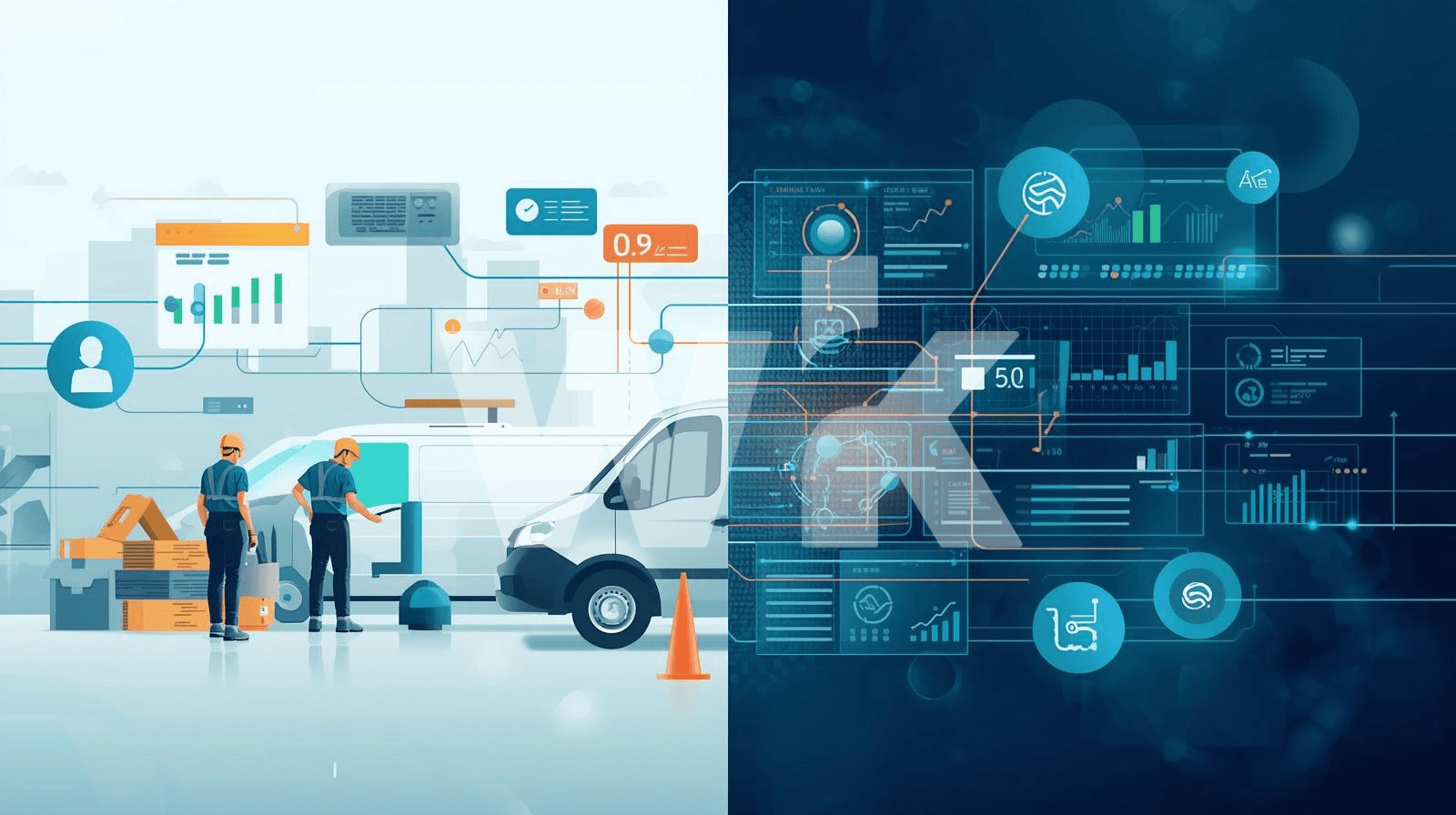
Workflow automation for field service businesses is the practice of using software to execute recurring operational tasks, such as scheduling, dispatching, invoicing, and follow-up communication, without manual intervention. It's the single most effective way for HVAC, plumbing, electrical, and other home service companies to reclaim hours lost to administrative work every week.
The global field service management market is projected to grow from $5.10 billion in 2025 to $9.17 billion by 2030. That growth is driven by businesses adopting automated scheduling, predictive maintenance, and mobile-enabled platforms to improve how technicians work in the field.
This guide breaks down exactly how to improve operational efficiency using the four most popular field service platforms: Jobber, ServiceTitan, FieldEdge, and Housecall Pro. We'll cover what each platform automates well, where the gaps are, and how to fill them.
Key Terms
Field Service Management (FSM): Software that helps service businesses coordinate field operations, including scheduling jobs, dispatching technicians, managing customers, and processing payments from a single platform.
Workflow Automation: The use of rule-based logic and software triggers to complete repetitive business tasks automatically, reducing manual data entry, follow-ups, and administrative overhead.
Dispatch Optimization: The process of assigning the right technician to the right job based on factors like skill set, location, availability, and travel time, often using algorithmic or AI-driven recommendations.
Route Optimization: Automated calculation of the most efficient travel path for technicians across multiple job sites, reducing drive time, fuel costs, and gaps between appointments.
Automation Orchestration: The coordination of multiple automation technologies (AI, RPA, API connectors, OCR, and human-in-the-loop tasks) within a single platform to execute end-to-end business processes. Wrk's orchestration engine is built specifically for this purpose.
Price Book: A pre-configured catalog of services and materials with standardized pricing that technicians present to customers in the field, ensuring consistent quoting and enabling good-better-best upsell options.
First-Time Fix Rate: The percentage of service calls resolved on the first visit without requiring a return trip, a critical metric for measuring field service efficiency and customer satisfaction.
Human-in-the-Loop: An automation design pattern where complex or judgment-dependent steps are routed to a human worker, while all other steps remain fully automated, ensuring quality without sacrificing speed.
Why Workflow Automation Matters for Field Service Businesses
Field service companies lose hours every day to manual scheduling, handwritten invoices, phone-tag with customers, and duplicate data entry between systems. Workflow automation eliminates these bottlenecks by turning repeatable processes into automated sequences that run without oversight.
The impact is measurable. According to industry data, over 70% of enterprises have shifted toward automated field workflows, and roughly 65% of organizations report improved service efficiency through FSM adoption.
Key Insight
In our experience building automations for service businesses, the three highest-ROI workflows to automate first are customer communication, invoicing, and dispatch. These three alone typically recover 8 to 12 hours per week for a five-person team.
Automation isn't just about saving time; it directly affects revenue. ServiceTitan reports that its customers increase revenue by an average of 21% in their first two years on the platform. That lift comes from faster invoicing, fewer missed appointments, and better upsell presentation in the field.
Platform Overview: Jobber, ServiceTitan, FieldEdge, and Housecall Pro
Each of these four platforms targets a different segment of the field service market. Choosing the right one depends on your team size, operational complexity, and how much automation you need out of the box.
Jobber
Jobber is a cloud-based FSM platform built for small to midsize service businesses. It was founded in 2011 and serves industries including landscaping, cleaning, HVAC, plumbing, and carpentry.
Jobber's strongest feature is its scheduling simplicity. We've seen teams pick up the drag-and-drop calendar in under an hour, with minimal training required. It also includes route optimization to reduce travel time between jobs.
Jobber starts at $25 per month for solo users and $109 per month for up to five users. There's no free plan.
ServiceTitan
ServiceTitan is the enterprise-grade option, built for mid-to-large service companies managing multiple crews and complex workflows. It offers the deepest reporting, marketing automation, and dispatching features of any platform in this category.
Where ServiceTitan excels is automation depth. It offers automated report delivery, adjustable capacity planning, touchless accounting integration with QuickBooks Online and Sage Intacct, and automated vendor invoice capture. These features aren't available in the other three platforms.
ServiceTitan uses custom pricing. It offers Starter, Essentials, and The Works tiers, and you'll need to contact sales for a quote.
FieldEdge
FieldEdge is a cloud-based FSM solution by Xplor, tailored for HVAC, plumbing, and electrical contractors. Its core strength is its deep, two-way QuickBooks integration that eliminates double data entry between field and accounting systems.
FieldEdge offers three tiers: Select, Premier, and Elite. Pricing runs approximately $100 to $125 per user per month, with a $500 to $2,000 setup fee and a five-week onboarding process.
Pro Tip
FieldEdge doesn't include native GPS tracking or review management. You'll need FleetSharp (roughly $25 per vehicle per month) for GPS and a separate tool like Podium for review requests. Factor these add-on costs into your total cost of ownership before committing.
Housecall Pro
Housecall Pro targets small to mid-sized home service businesses and is known for its intuitive mobile app, which carries a 4.6-star rating on the App Store. It prioritizes ease of use, fast setup, and automated customer communication.
Housecall Pro offers three plans: Basic at $59 per month for one user, Essentials at $149 per month for up to five users, and MAX at $329 per month for up to eight users. Custom quotes are available for larger teams.
Platform Comparison: Automation Features Side by Side
This table compares the key automation capabilities across all four platforms. Use it to identify which platform aligns best with your current operational needs and growth trajectory.
Feature | Jobber | ServiceTitan | FieldEdge | Housecall Pro |
Scheduling | Drag-and-drop, route optimization | Multi-view boards, capacity planning | Skill/location dispatch | Drag-and-drop, real-time dispatch |
Customer Comms | Client Hub, auto follow-ups | Auto notifications, call booking | Voicemail, email, text alerts | Auto texts, review requests |
Invoicing | Templates, batch, reminders | Progress invoicing, auto capture | Flat-rate price book | One-click, batch, Instapay |
Accounting | QuickBooks, Stripe | QB Online, Sage (touchless) | Deep two-way QB sync | QuickBooks integration |
API Access | Limited | Open API (V2) | Limited | Zapier connections |
Best For | 1-10 technicians | 25+ technicians | Heavy accounting needs | 1-15 technicians |
Efficiency Gain | 15-20% | 25-30% | Varies | 10-15% |
Five High-Impact Workflows to Automate First
Not all automation delivers equal returns. Based on our work building workflows for service businesses, these five areas consistently produce the fastest payback.
Customer Communication Sequences
Automated appointment confirmations, on-the-way notifications, and post-service review requests eliminate the most common source of phone calls to your office. Housecall Pro handles this particularly well with its built-in automated text notifications and review request system.
Every missed or delayed customer touchpoint costs trust. Automating these communications ensures every customer gets a consistent experience regardless of how busy your dispatch team is.
Invoice Generation and Payment Collection
Manual invoicing creates a direct drag on cash flow. Every day between job completion and invoice delivery is a day you're not getting paid.
Housecall Pro's one-click invoicing and Instapay feature (same-day deposits for an additional 1% fee) represent the most aggressive payment automation in this category. ServiceTitan's automated invoice capture extracts data from vendor PDFs and images, eliminating manual entry on the purchasing side.
Pro Tip
If your FSM platform's invoicing automation doesn't match your accounting workflow, a platform like Wrk can bridge the gap. We've built automations that pull completed job data from FSM systems, generate invoices, push them to accounting software, and trigger follow-up sequences, all without manual handoffs.
Scheduling and Dispatch Rules
Rule-based dispatch assigns technicians based on skill set, proximity, and availability. ServiceTitan's capacity planning engine takes this furthest, letting you set rules that optimize your schedule to maximize revenue per day.
Jobber's route optimization is the simplest implementation and works well for teams running five to ten jobs daily. For operations with 20 or more daily jobs, ServiceTitan's multi-view dispatch board and map-based routing provide better control.
Accounting Data Sync
Double data entry between your FSM platform and accounting software is one of the most common efficiency killers in field service operations. FieldEdge's two-way QuickBooks sync is the strongest native solution here, reportedly saving 20 or more hours per week on manual entry.
ServiceTitan's touchless accounting integration with QuickBooks Online and Sage Intacct auto-exports journal entries, removing the need for manual reconciliation entirely.
Lead and Follow-Up Automation
Unsold estimates represent lost revenue that compounds over time. Automating follow-up sequences on open quotes and lapsed customers recovers revenue that would otherwise disappear.
Jobber's Client Hub lets customers view past jobs, approve quotes, and process payments on their own. Housecall Pro integrates with Google Local Service Ads for inbound lead capture. ServiceTitan offers the deepest marketing automation with call recording, attribution tracking, and automated campaign management.
Where Native Platform Automation Falls Short
Every FSM platform has automation gaps. Recognizing them early prevents you from building manual workarounds that become permanent inefficiencies.
Cross-System Data Flow
None of these four platforms handles complex, multi-system workflows natively. If your process spans your FSM tool, a CRM, an accounting platform, a marketing tool, and a legacy system, you're manually bridging those connections.
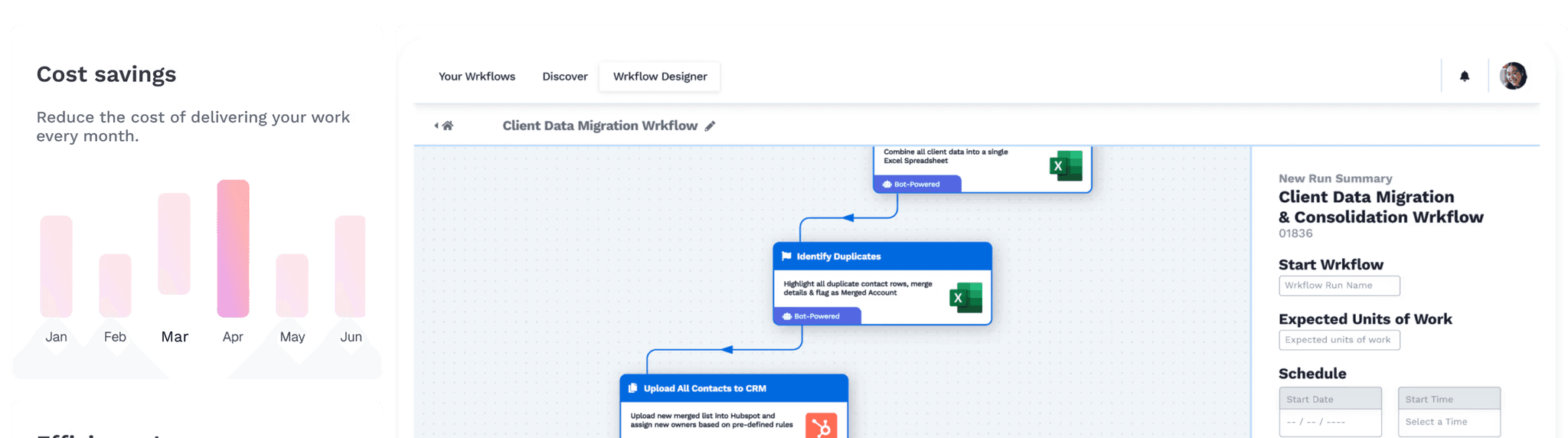
This is exactly the problem automation orchestration solves. Wrk combines AI, RPA, API connectors, OCR, and human-in-the-loop tasks into a single control plane. Data flows from beginning to end without manual handoffs, even when some of your systems don't have APIs.
Legacy System Integration
Many field service businesses still rely on older software, spreadsheets, or paper-based processes for parts of their operation. Standard FSM platforms can't connect to these systems.
Wrk's robotic process automation interacts with what's on screen, including web apps, desktop software, and remote sessions like RDP and Citrix. This means portals, legacy systems, and older databases can be automated without replacing them.
Key Insight
Wrk's fully managed service means you don't need to hire developers or automation specialists. Describe your process, and the Wrk team builds, monitors, and optimizes the workflow for you. Setup fees start at $1,000, and you pay per use after that.
Complex Document Processing
Field service businesses deal with purchase orders, vendor invoices, permits, inspection reports, and compliance documents daily. Most FSM platforms handle only basic document workflows.
ServiceTitan's automated invoice capture is the exception, but it's limited to vendor invoices. For broader document automation, Wrk's OCR and AI capabilities can extract data from any document type and route it to the correct system automatically.
How to Choose the Right Platform for Your Business
Platform selection should be driven by team size, operational complexity, and integration needs. Here's a decision framework based on what we've seen work across hundreds of implementations.
Choose Jobber If:
You run a team of one to ten technicians and need a platform that's simple to learn and fast to deploy. Jobber's onboarding requires minimal training, and its integrations with QuickBooks and Stripe cover the essentials for most small operations.
Jobber is the right choice when scheduling simplicity and reliable core features matter more than advanced automation depth.
Choose ServiceTitan If:
You manage 25 or more technicians across multiple locations and need enterprise-grade reporting, marketing automation, and deep operational controls. ServiceTitan's learning curve is real, but the payoff is the most comprehensive automation suite in the FSM category.
Be prepared for a longer implementation timeline and higher costs. The ROI is strong, with an average 21% revenue increase in the first two years, but it takes time and training to get there.
Choose FieldEdge If:
Your accounting workflow is your biggest pain point, and you need the deepest possible QuickBooks integration. FieldEdge eliminates double entry and keeps field and office data synchronized in real time.
Factor in the five-week onboarding period and potential add-on costs for GPS tracking and review management before making your decision.
Choose Housecall Pro If:
You need the fastest time-to-value and an exceptional mobile experience for your field team. Housecall Pro's intuitive interface means technicians can be productive on day one, and its automated communication features are best-in-class for small to mid-sized teams.
Housecall Pro's Instapay feature is a standout if cash flow speed is a priority for your business.
Extending Automation Beyond Your FSM Platform with Wrk
Your FSM platform handles the core of your field operations. But most field service businesses run at least five to ten other tools for accounting, marketing, HR, inventory, and customer management. The gaps between those systems are where manual work hides.
Wrk is a fully managed automation platform that connects your FSM software to every other system in your stack. Unlike self-service automation tools, Wrk's team builds, deploys, monitors, and optimizes your workflows for you.
Example: End-to-End Job Completion Workflow
When a technician marks a job complete in your FSM platform, Wrk can automatically generate the invoice, push it to QuickBooks, send the customer a payment link, request a review after payment, and update your CRM record. No manual steps, no missed follow-ups.
Wrk's platform combines AI, API connectors, robotic process automation, OCR, and human-in-the-loop tasks into a single orchestration layer. This means it works with modern cloud platforms and older legacy systems alike, without requiring you to replace anything.
With over 2,500 pre-built actions and SOC 2 Type II, HIPAA, and PIPEDA compliance, Wrk is built for businesses that need enterprise-grade security without enterprise-grade complexity.
Start Here: Your Automation Action Checklist
These five steps will help you begin improving operational efficiency this week, regardless of which FSM platform you use.
Audit your manual touchpoints. Spend one day tracking every task your office staff does manually: phone calls, data entry, invoice creation, scheduling changes, and follow-ups. Identify the three most time-consuming tasks.
Activate built-in automations. Most FSM platforms ship with automation features that are turned off by default. Enable automated appointment confirmations, payment reminders, and review requests inside your current platform.
Eliminate double data entry. Connect your FSM platform to your accounting software. If you're on FieldEdge or ServiceTitan, use the native integration. If not, consider Wrk to bridge the gap.
Set up dispatch rules. Configure your dispatch board to assign technicians based on skill, location, and availability. Even basic rules reduce scheduling conflicts and drive time.
Map your cross-system workflows. Identify processes that span more than two software tools. These are your highest-value automation opportunities and where platforms like Wrk deliver the biggest efficiency gains.
Frequently Asked Questions
What is workflow automation in field service management?
Workflow automation in field service management is the use of software to execute recurring operational tasks without manual intervention. Platforms like Jobber, ServiceTitan, FieldEdge, and Housecall Pro each offer built-in automation for scheduling, invoicing, and customer communication. External automation platforms like Wrk extend those capabilities by connecting systems that don't natively integrate.
Which field service platform is best for small teams?
Jobber is the strongest fit for small teams of one to ten technicians. It starts at $25 per month for solo users and offers an intuitive interface that most teams learn within an hour. Housecall Pro is also strong for small teams prioritizing ease of use, with plans starting at $59 per month.
How does ServiceTitan compare to Jobber for workflow automation?
ServiceTitan offers deeper automation than Jobber, including automated report delivery, capacity planning rules, touchless accounting integration, and automated invoice capture. Jobber focuses on simpler automations for client communication and follow-ups. ServiceTitan is built for operations with 25 or more technicians, while Jobber serves smaller teams that value simplicity.
What processes should field service businesses automate first?
The three highest-impact processes to automate first are customer communication, invoicing and payment collection, and scheduling and dispatch. These three areas typically produce measurable time savings within the first two weeks of implementation, often recovering 8 to 12 hours per week for a five-person team.
Can I connect these platforms to external automation tools?
Yes, all four platforms support external integrations to varying degrees. ServiceTitan offers the most robust open API. Housecall Pro supports Zapier connections for third-party automations. Jobber connects with QuickBooks and Stripe. FieldEdge provides deep QuickBooks integration. For workflows spanning multiple systems, Wrk connects these tools without requiring in-house development.
What ROI can field service businesses expect from workflow automation?
ROI varies by platform and implementation quality. Jobber users typically see 15 to 20 percent efficiency improvements, Housecall Pro users report 10 to 15 percent gains, and ServiceTitan users can achieve 25 to 30 percent improvements when fully trained. ServiceTitan reports that its customers increase revenue by an average of 21% in their first two years.
How does Wrk help field service businesses that already use FSM software?
Wrk fills the automation gaps that native FSM platforms don't cover. It connects field service management software to accounting systems, CRMs, marketing platforms, and legacy tools using AI, RPA, API connectors, and human-in-the-loop processes. This is a fully managed service, so you don't need to hire developers or manage automation tooling yourself.





