
How to Automate Dispatch, Scheduling, and Follow-Ups in ServiceTitan
Publish Date
Apr 2, 2026
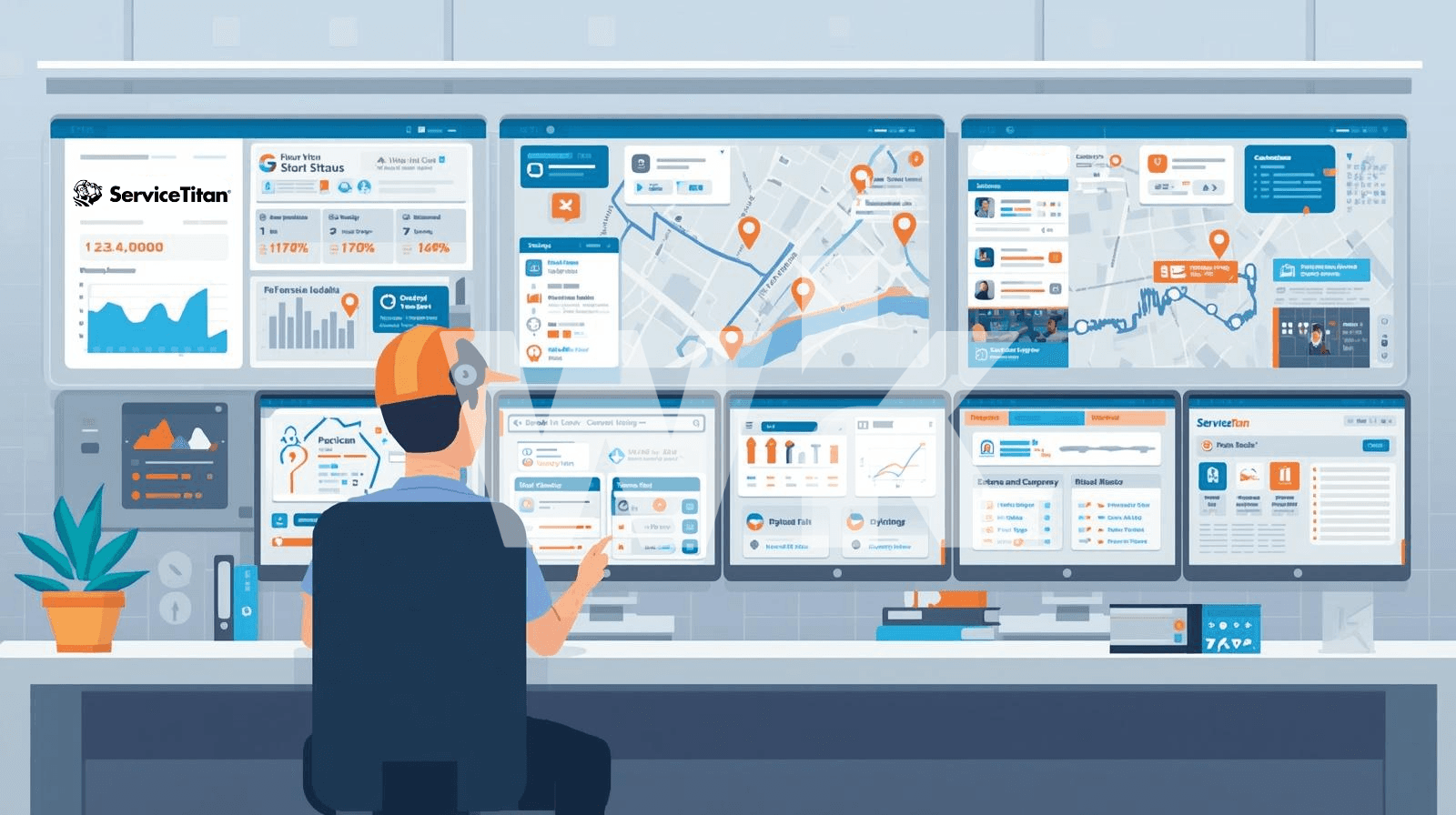
ServiceTitan is a cloud-based field service management platform that handles scheduling, dispatching, customer management, invoicing, and marketing for residential and commercial contractors. Its automation features allow HVAC, plumbing, electrical, and other field service businesses to replace manual coordination with system-driven workflows across dispatch, job booking, and customer follow-up.
This guide covers the specific automation tools available inside ServiceTitan, how to configure them, and where third-party automation platforms like Wrk can fill the gaps ServiceTitan doesn't cover on its own.
Key Terms
Dispatch Board: ServiceTitan's central interface for viewing, assigning, and managing technician schedules. It supports drag-and-drop job assignment with real-time status updates.
Dispatch Pro: An AI-powered add-on that uses Titan Intelligence to auto-assign technicians to jobs based on skills, performance data, and proximity.
Scheduling Pro: An online booking tool that lets customers self-schedule appointments from a contractor's website, Google Business Profile, or social platforms.
Titan Intelligence (TI): ServiceTitan's AI engine that powers predictive job value estimates, technician recommendations, invoice summaries, and campaign suggestions.
Marketing Pro: ServiceTitan's email and SMS campaign automation tool for unsold estimate follow-ups, membership renewals, and lead nurture sequences.
Follow Up Screen: A centralized dashboard for tracking unsold estimates, dismissed opportunities, and open follow-up tasks across the business.
Adaptive Capacity: A capacity management feature that forecasts job volume, tracks real-time availability, and automatically adjusts booking strategies based on technician supply.
Sammy the Scheduler: A core ServiceTitan feature that sends automated SMS reminders to customers about recurring service visits, available without Marketing Pro.
Automating Dispatch: From Manual Board to AI-Powered Assignment
ServiceTitan's dispatch board is the nerve center of daily operations. At its core, it shows every technician's schedule, job details, and availability in a single drag-and-drop interface.
But manual dispatching breaks down at scale. When you're running 15 or more technicians, a dispatcher can't realistically evaluate every skill match, drive time, and revenue opportunity in real time.
Standard Dispatch Board Automations (Core Product)
ServiceTitan's core dispatch features include several automations that don't require any add-on purchase. Skills-based scheduling ensures only technicians with the right certifications or skills can be assigned to specific job types.
Capacity planning lets business owners define how many man-hours they can handle by job type and season. CSRs are automatically prevented from overbooking the wrong job types at the wrong times.
The dispatch board also includes auto-adjust job duration, which automatically extends or shortens a job's time slot on the board when a technician runs ahead of or behind schedule.
Key Insight
ServiceTitan's Adjustable Capacity Planning doesn't just cap bookings. It optimizes schedules for profitability by increasing or decreasing technician capacity for certain job types based on seasonal demand. This is a core feature, not a Pro add-on.
Dispatch Pro: AI-Driven Technician Assignment
Dispatch Pro takes dispatching from manual to automated. It uses Titan Intelligence to run thousands of scenarios based on technician skills, historical sales performance, and job proximity to find the optimal assignment.
When Dispatch Pro is active, it automatically allocates technicians to jobs in the queue. Dispatchers can accept, reject, or override recommendations, so they keep control while offloading the analysis.
Dispatch Pro also predicts each job's revenue potential. It factors forecasted value, priority level, and routing efficiency into every recommendation, matching high-value opportunities with top performers.
Pro Tip
Configure Dispatch Pro to prioritize drive time, average ticket size, or a custom blend of both. Set maximum drive times between jobs to control non-billable hours, and define start and end locations for each technician.
What Dispatch Automation Doesn't Cover
ServiceTitan's dispatch automation handles what happens inside its platform. It doesn't automate cross-platform coordination, such as syncing dispatch data with external CRMs, triggering workflows in other tools, or routing notifications to non-ServiceTitan systems.
This is where a platform like Wrk adds value. Wrk's automation orchestration connects ServiceTitan's data with external systems using APIs, RPA, and AI, closing the gaps between platforms without custom development.
Automating Scheduling: From Phone Calls to 24/7 Self-Booking
Every missed call is a missed job. ServiceTitan reports that contractors who add online scheduling capture bookings during evenings, weekends, and peak call hours when phone lines are jammed.
Core Scheduling Features
ServiceTitan's standard scheduling workflow starts when a customer calls. The system automatically surfaces whether the caller is new or existing and displays their full history, including contact details, previous jobs, equipment, and membership status.
CSRs are guided through a structured call booking process. The dispatch board immediately reflects the new job with all relevant details visible to dispatchers and technicians.
Scheduling Pro: Online Booking That Feeds the Dispatch Board
Scheduling Pro adds customer self-scheduling to your website, Google Business Profile, and social platforms. Customers choose their service type, answer qualifying questions, and pick from real-time available slots.
Booked jobs flow directly into ServiceTitan's dispatch board as unassigned entries, ready for dispatcher review or Dispatch Pro auto-assignment. This eliminates phone tag and after-hours voicemail for routine bookings.
Scheduling Pro also captures abandoned leads. If a customer starts the booking process but doesn't finish, the system stores their information for follow-up by your team.
Key Data Point
One ServiceTitan user reported booking over $180,000 in jobs through Scheduling Pro in the first month, including more than 50 appointments that required no CSR time. (Source: ServiceTitan)
Automated Appointment Notifications (Core Product)
ServiceTitan includes four notification automations in its core product that don't require any Pro add-on. Each one reduces manual phone work for dispatchers and CSRs.
Reminder notifications send an email or SMS to customers before their appointment, typically 24 hours in advance. Customers can text "C" to confirm, and the confirmation flows directly to the dispatch board and job record.
Dispatch notifications alert customers when a technician has been dispatched and is en route. These can include the tech's photo, bio, and a real-time arrival tracking link.
Arrival notifications fire automatically when a technician taps "Arrive" in the ServiceTitan mobile app. This is useful for property managers and gated communities.
Job completion surveys send a satisfaction survey to customers as soon as the job is marked complete. This automates feedback collection without any manual follow-up.
Where Scheduling Automation Falls Short
ServiceTitan's scheduling automation works well within its own ecosystem. It doesn't natively handle scenarios like syncing appointments with external calendars, triggering multi-step workflows across non-ServiceTitan tools, or automating complex re-scheduling logic when external factors change.
For businesses running processes that span multiple platforms, Wrk's process automation can bridge these gaps. Wrk connects ServiceTitan data with external tools using API connectors, vision-based RPA, and human-in-the-loop steps for exception handling.
Automating Follow-Ups: Closing Unsold Estimates and Recurring Revenue
Unsold estimates represent some of the easiest revenue a field service business can recover. ServiceTitan builds follow-up tracking directly into its platform, giving teams a structured path from open estimate to closed sale.
The Follow Up Screen (Core Product)
Every time a technician creates an estimate that isn't sold on the spot, ServiceTitan automatically generates an "opportunity." These opportunities appear in the Follow Up screen, a centralized dashboard for managing unsold estimates.
The Follow Up screen lets teams filter by job type, technician, date range, business unit, and opportunity status. Statuses include Not Attempted, Contacted, Won, and Dismissed, giving managers a clear view of pipeline health.
When a customer opens an emailed estimate, ServiceTitan sends an automatic notification to the contractor, prompting a follow-up call at the right moment. If the email bounces or goes unopened, the system flags that too.
Marketing Pro: Automated Follow-Up Campaigns
Marketing Pro adds automated email and SMS campaigns for follow-up workflows. Its Autopilot Library includes pre-built templates for common campaigns like unsold estimate follow-ups targeting residential customers with open estimates from the last 30 days.
Each Autopilot campaign automatically populates the target audience, assigns a tracking phone number, and includes pre-written content. You can launch it with a single click or customize the messaging before sending.
Marketing Pro users have reported a 10% increase in conversions on unsold estimates and a 12% growth in year-over-year revenue, according to ServiceTitan's published data.
Example: Follow-Up Workflow in Practice
At Richards Plumbing and Electric, CSRs receive a $25 to $50 bonus for every unsold estimate they convert through follow-up calls. After a technician emails an estimate, ServiceTitan alerts the CSR manager. If the customer hasn't accepted within 48 hours, a CSR calls on day three. This process recovers 25% to 50% of initially unsold estimates. (Source: ServiceTitan Podcast)
Sammy the Scheduler: Recurring Service Reminders Without Marketing Pro
Not every automation requires a paid add-on. Sammy the Scheduler is a core ServiceTitan feature that sends automated SMS reminders to customers about upcoming recurring service visits.
These are targeted messages triggered by service contract schedules, not generic marketing blasts. They ensure customers don't forget about maintenance appointments and help contractors keep their boards full during slow periods.
Where Follow-Up Automation Has Gaps
ServiceTitan's follow-up tools work well for in-platform workflows. They don't natively handle multi-channel orchestration across tools like email, SMS, direct mail, and CRM platforms outside of ServiceTitan's ecosystem.
For businesses that need follow-up sequences spanning multiple systems, Wrk's automation platform can orchestrate end-to-end workflows. Wrk combines API connectors, AI, and human-in-the-loop processes to automate follow-ups across any combination of platforms.
Advanced Automations: Atlas AI, Route Optimization, and the Automations Command Center
ServiceTitan is investing heavily in AI-driven automation through its Titan Intelligence platform and the Atlas AI assistant. These features represent the next generation of automation for field service operations.
Atlas: AI-Powered Job Intelligence
Atlas is ServiceTitan's AI assistant that answers technician questions about specific jobs using data already in the platform. A tech can ask when the customer was last visited or what filter size was used on the previous maintenance call, and Atlas pulls the answer instantly.
Future versions of Atlas will proactively recommend marketing campaigns when schedules are light and identify revenue opportunities across the business. Campaign recommendations for Marketing Pro users became available in late 2025.
Route Optimization and Smarter Routing
ServiceTitan's Route Optimization Automation creates efficient schedules with a single click, planning around fixed appointments, arrival windows, and technician skills. Route Management tools let dispatchers plan compact routes using a map-based interface.
Smarter Routing, currently in preview with general availability planned for summer 2026, adds a visual map builder for more granular control over technician routes. It aims to cut drive time further and maximize jobs per day.
Automations Command Center
The Automations Command Center, announced at Pantheon 2025, gives businesses a single dashboard to view, modify, and discover all active automations across the ServiceTitan platform. This is the first time contractors have had visibility into every automation rule running in their account.
Comparison: ServiceTitan Core vs. Pro Automation Features
Automation Capability | Core (Included) | Pro Add-On Required |
Drag-and-drop dispatch board | Yes | No |
Skills-based technician matching | Yes | No |
Capacity planning | Yes (Adaptive Capacity) | No |
AI-powered auto-dispatch | No | Dispatch Pro |
Revenue-based job matching | No | Dispatch Pro |
Appointment reminders (SMS/email) | Yes | No |
Dispatch and arrival notifications | Yes | No |
Online customer self-scheduling | No | Scheduling Pro |
Follow Up screen for unsold estimates | Yes | No |
Automated SMS/email follow-up campaigns | Sammy (basic) | Marketing Pro (advanced) |
AI invoice summary generation | Yes (Titan Intelligence) | No |
Route optimization | Basic | Smarter Routing (2026) |
Cross-platform workflow automation | No | Requires Wrk or similar |
What ServiceTitan Doesn't Automate (and How to Fill the Gaps)
ServiceTitan excels at automating workflows within its own platform. Where it falls short is automating processes that span multiple systems, legacy tools, or workflows that require custom logic beyond its built-in rules.
Common Automation Gaps
Cross-platform data sync is a frequent pain point. If your business uses separate tools for accounting, HR, inventory, or customer communication outside ServiceTitan's native integrations, data still moves manually or through fragile custom scripts.
Complex conditional workflows are another gap. ServiceTitan's automations follow preset rules, but they don't support branching logic like "if this estimate exceeds $10,000 and the customer has an active membership, route to a senior tech and trigger a custom approval workflow."
Legacy system integration is a third. Many field service businesses still rely on older software for specific functions, and desktop applications without APIs require a different automation approach.
How Wrk Fills These Gaps
Wrk is a managed automation platform that combines AI, API connectors, robotic process automation (RPA), OCR, and human-in-the-loop steps into a single orchestration engine. It's not a self-service tool, it's a done-for-you automation service where Wrk's team builds, runs, and maintains your workflows.
For ServiceTitan users, Wrk can automate processes like syncing job data with external accounting systems, triggering multi-step follow-up sequences across email, SMS, and direct mail, or extracting data from documents and feeding it into ServiceTitan's records.
Wrk's vision-driven RPA can also interact with legacy desktop applications that lack APIs, bridging the gap between modern cloud tools and older systems that many contractors still depend on.
Pro Tip
When evaluating where to add external automation, start with your highest-volume manual process that spans two or more systems. If your team spends hours each week copying data between ServiceTitan and another tool, that's your first automation target. Wrk's discovery process can map these workflows and build automation in days, not months.
ServiceTitan Pricing Context for Automation Features
ServiceTitan doesn't publish pricing publicly. Based on user reports compiled from G2, Capterra, and contractor forums, the base subscription ranges from approximately $245 to $500 per technician per month, depending on the plan tier selected.
Implementation fees are a one-time charge ranging from $5,000 to $50,000 or more, depending on company size and complexity. The implementation process typically takes 3 to 6 months, with some users reporting up to 12 months.
Pro add-ons like Dispatch Pro, Scheduling Pro, and Marketing Pro are priced separately and can increase monthly costs by 30% to 50% on top of the base subscription. ServiceTitan has bundled these into its Maximize Program, which packages all Pro products together.
ServiceTitan has stated its platform works best for businesses with 20 or more technicians. For smaller teams, the cost-per-technician model and lengthy implementation timeline may not justify the investment compared to lighter alternatives.
Start Here: Your Automation Checklist
1. Enable core notification automations first. Turn on reminder notifications, dispatch notifications, arrival alerts, and job completion surveys in your ServiceTitan settings. These are included in every plan and immediately reduce manual phone work.
2. Set up skills-based scheduling and capacity planning. Define technician skills, assign them to job types, and configure capacity limits by season. This prevents overbooking and mismatched assignments without any add-on cost.
3. Activate the Follow Up screen and assign ownership. Make one person responsible for reviewing unsold estimates weekly. Set up email notifications so your team is alerted when a customer opens an emailed estimate.
4. Evaluate Dispatch Pro and Scheduling Pro. If you're running 15 or more technicians, Dispatch Pro's AI-based assignment can significantly reduce dispatcher workload. If you're losing after-hours bookings, Scheduling Pro captures those customers 24/7.
5. Audit your cross-platform workflows for automation gaps. Identify any process where data moves manually between ServiceTitan and another tool. Bring those to a Wrk discovery call to scope automation options.
Frequently Asked Questions
What is ServiceTitan Dispatch Pro, and how does it differ from the standard dispatch board?
Dispatch Pro is an AI-powered add-on that automatically assigns technicians to jobs based on skill set, sales performance, and proximity. The standard dispatch board requires manual drag-and-drop assignment, while Dispatch Pro runs thousands of scenarios using Titan Intelligence to recommend or auto-assign the best technician for each job. It also predicts a job's revenue potential and factors that into assignment decisions.
Can ServiceTitan automatically send appointment reminders and confirmations?
Yes, this is a core feature included with every ServiceTitan plan. Reminder notifications send email or SMS to customers before their appointment, typically 24 hours in advance. Customers can reply by text with "C" to confirm. ServiceTitan reports that 89% of consumers prefer confirming appointments via text, and teams save up to 12 hours per week by replacing manual confirmation calls.
How does ServiceTitan handle follow-ups on unsold estimates?
ServiceTitan creates an "opportunity" automatically whenever an estimate is created but not sold. These unsold estimates appear in a centralized Follow Up screen where teams can filter by job type, technician, date range, and status. Marketing Pro users can also set up automated SMS campaigns targeting customers with open estimates. When a customer opens an emailed estimate, ServiceTitan sends an automatic notification to prompt a follow-up call.
What does ServiceTitan Scheduling Pro do?
Scheduling Pro is an online booking tool that lets customers self-schedule appointments from a contractor's website, social media, or Google Business Profile. It shows real-time availability based on the dispatch board and delivers booked jobs straight into ServiceTitan. It also captures abandoned leads for follow-up, allowing teams to contact customers who started but didn't complete a booking.
How much does ServiceTitan cost?
ServiceTitan doesn't publish pricing publicly. Based on user reports from G2, Capterra, and contractor forums, costs range from approximately $245 to $500 per technician per month. Implementation fees range from $5,000 to $50,000 or more. Pro add-ons increase the monthly bill further. ServiceTitan works best for businesses with 20 or more technicians.
Can I automate recurring service reminders in ServiceTitan without Marketing Pro?
Yes. ServiceTitan's core product includes Sammy the Scheduler, an automated SMS campaign that sends reminders to customers about upcoming recurring service visits. For more advanced campaign automation, such as multi-touch sequences and targeted email campaigns, Marketing Pro is required.
What is Atlas in ServiceTitan?
Atlas is ServiceTitan's AI assistant that answers technician questions about specific jobs using data in the platform. A tech can ask about a customer's service history or previous equipment details, and Atlas pulls the answer instantly. Future versions will proactively analyze data to recommend marketing campaigns and surface revenue opportunities.





